
Batch Shipping on Etsy: A Simple System

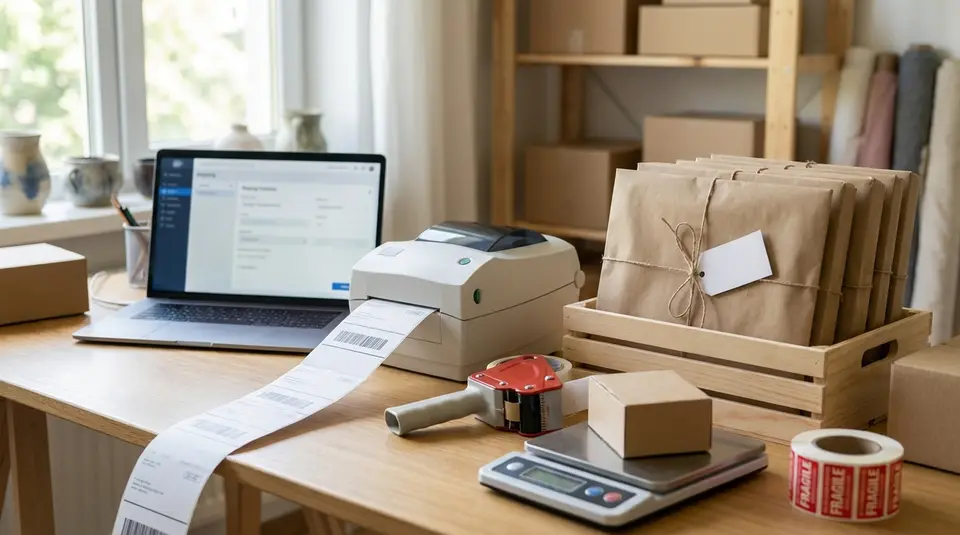
Batch shipping is the habit of handling multiple Etsy orders in one clean pass instead of bouncing between messages, packing, and postage all day. The goal is simple: pick a cutoff time, pull everything from Shop Manager, and standardize your package details so buying shipping labels feels like a quick review, not a decision marathon. A solid system usually includes printing packing slips in the same order you’ll pack, double-checking weights and addresses before you purchase, and using a USPS SCAN form when you’re dropping off a stack of packages. The sneaky time-waster is printing or packing out of sequence, then spending ten minutes playing label matchmaker.
Batch shipping setup in Etsy: shipping profiles, packaging, and defaults
Packaging presets for repeatable weights and sizes
Batch shipping on Etsy gets fast when your “thinking” is already done. Start by standardizing the packages you use most. Aim for 2 to 5 go-to options (poly mailer, small box, medium box, tube), each with a typical packed weight range.
In Etsy Shipping Labels, you can save these as label presets so weight, dimensions, and package type are one dropdown selection instead of a manual re-entry every time. This is especially helpful if you sell a mix of light items (stickers, jewelry) and bulky items (home goods), where dimensions change the best service and price.
Pro tip: build presets around real packed shipments, not the bare product. Include your insert, tissue, bubble wrap, and outer packaging so your defaults match reality.
Saved label preferences and return address settings
Next, lock in your label defaults so every batch prints the same way. Etsy lets you set shipping label preferences like download and print layout choices, and certain customs settings for international labels. These defaults reduce misprints and reduce the chance you select the wrong format mid-rush. The Etsy Seller Handbook overview is a good reference for what can be saved in preferences and presets: How to Make the Most of Shipping Labels on Etsy.
Also confirm your return address is correct and consistent. If you ship from more than one location, pick one “standard” origin whenever possible, since inconsistent origins can create postage surprises.
Shipping profiles that reduce manual edits
Shipping profiles are your other big time-saver. A shipping profile lets you reuse the same carrier services, costs (fixed or calculated), and shipping destinations across many listings. When you update a profile, Etsy updates every listing using it, which is ideal for rate changes or seasonal adjustments. Etsy’s help guide walks through setup and where profiles live in Shop Manager: How to Set Up Shipping Information for Your Listings.
For batch shipping, fewer profiles is usually better. Create profiles based on how you actually ship (example: “USPS Ground Advantage small mailer” vs “Boxed Priority”), not based on product categories.
Order batching rules that keep Etsy shipments organized
Grouping by ship date, carrier, and destination
Your best batching rule is: ship date first. Start each session by filtering to orders that need to go out next, then work forward. This keeps you from accidentally printing a label for an order that is not due yet, or missing one that is.
Next, group by carrier and service (USPS vs UPS, Ground vs Priority). Mixed services are where most batch errors happen, because similar-looking packages end up with different labels. Finally, group by destination type. In practice, that usually means “local zone vs cross-country” if you are comparing services, or just keeping “PO Box style addresses” together so you remember the small packaging constraints.
A simple rhythm that works:
- Pull the day’s due orders
- Create sub-stacks by carrier/service
- Pack and label one stack at a time, start to finish
Handling variations: custom orders and gift messages
Custom orders and gift notes break routines, so give them a visible flag before you print anything. Many sellers handle this by creating a small “exceptions” mini-batch.
Common exceptions to isolate:
- Personalization or custom details to double-check
- Add-ons or upgrades (rush, insurance, signature)
- Gift messages and gift wrap requests
The key is sequencing: verify the custom details while you can still fix the order, then pack it, then buy the label. If you buy labels first, it is easy to end up with a paid label for the wrong package.
Separating domestic and international batches
International orders deserve their own batch because they add customs fields, different service rules, and a higher cost of mistakes. Keep them separate from domestic from the moment you print packing slips.
If you only get a few international orders, do them last, when your workspace is clean and you can slow down. If you ship internationally often, dedicate a regular day or time window to that batch so the customs workflow stays consistent.
Buying multiple shipping labels in Etsy in one session
Finding eligible orders in Orders and Shipping
In Etsy Shop Manager, your batch starts in Orders. Focus on the New tab, since these are the orders that are not complete yet. Before you buy labels, do a quick eligibility check so you do not stop mid-batch:
Make sure each order has a valid shipping address, the item is ready to go, and you are comfortable shipping on the date you will select. Etsy’s shipping notification to the buyer is tied to the Ship date you set, so only buy labels for orders you truly plan to hand off to the carrier. If you need the step-by-step screens for label purchase, Etsy documents the flow here: How to Purchase Shipping Labels on Etsy.
Choosing carrier, service, and label options quickly
Speed comes from consistency. Open each order, click the van icon to purchase a label, then use your saved package preset (weight and dimensions) whenever it applies. That single choice usually narrows the delivery services to the right options for that package.
Set your Ship date intentionally. Etsy lets you set a Ship date a few days ahead, but for batch shipping it’s often simplest to set it to the day you’ll actually drop off or schedule pickup. That keeps buyer notifications aligned with reality.
Bulk actions to mark shipped and notify buyers
On Etsy, buying a shipping label for an order typically completes the order automatically and schedules the buyer notification for the Ship date you chose. That means your “bulk action” is really the session itself: move through your prepared stack, purchase labels in the same order you packed, then print.
After purchase, keep everything traceable by downloading and printing labels in one continuous run, and only then moving to the next carrier or service group. This small discipline prevents the most common batch mistake: mixing labels between similar packages.
Label details Etsy needs: weight, dimensions, and customs fields
Matching package size to the selected mail class
When you buy Etsy Shipping Labels, the price and even eligibility of a service depends on your weight, package type, and dimensions. Etsy calls these out as required inputs on the label purchase screen, along with your delivery service choice. That means batch shipping only stays smooth if your package details are consistent and accurate.
Two practical rules help prevent “postage due” surprises later:
First, weigh the package after it’s packed. The box, padding, inserts, and tape matter.
Second, match your package type to what you’re actually shipping. A box is not a flat, and a roll is not just “anything long.” Some package types can trigger non-standard pricing with USPS, so it’s worth picking the closest match instead of whatever is fastest to click.
If you use calculated shipping, Etsy can auto-import package details into the label flow, which cuts down on manual entry during a batch run.
International labels: HS codes and item descriptions
International labels add customs fields. In Etsy, you’re responsible for accurate customs info, and Etsy may pre-fill some fields based on your listings. At a minimum, expect to confirm:
- Item description (clear and specific, not “gift” or “merch”)
- Quantity, value, and weight for each line item
- Country of origin (when required)
- Recipient name (use the buyer’s full name)
For many destinations, you may also need a tariff number, often called an HS code. Etsy notes that tariff numbers are required for packages entering the European Union, and that an HS6 code (six digits) is a common baseline when shipping into the EU. If you sell a consistent product line, it’s worth saving the correct codes so international batches do not become a research project.
Common data mistakes that block label purchase
Most “can’t buy the label” problems in a batch come down to a few repeat offenders:
- Invalid characters in the address, including emojis, accent marks, or non-Latin characters that the carrier can’t accept.
- Address lines that are too long, which can break carrier formatting rules.
- Package size or weight outside carrier limits, or a mismatch between the selected service and the package details.
- Fractional weights on some international labels, where Etsy may require whole-number package weights (round up if needed).
- Missing or vague customs descriptions, especially for international shipments with multiple items.
Catching these before you start printing keeps your batch from stalling halfway through.
Printing and attaching Etsy shipping labels without mix-ups
Batch printing formats: letter vs label printer
Pick one print format and stick with it for the whole batch. Switching formats mid-run is a classic way to misplace or mis-scale labels.
If you print on letter paper, use a clean routine: print, cut, then immediately apply each label before moving on. If you use a thermal label printer, keep an eye on orientation and margins so barcodes are not clipped.
Whatever you choose, do a one-label test print when you change anything (new printer, new browser, new label stock). It is faster than reprinting twenty labels because the first one was off.
Packing slip workflow for matching items to labels
The simplest no-mix-up system is: packing slip stays with the order until the label is attached.
Try this flow:
- Print packing slips for the batch in the same order you will pack.
- Pick and pack one order at a time.
- Put the packing slip inside (or under a clear pouch on the outside) while the box is still unlabeled.
- Buy and print the Etsy shipping label for that exact order.
- Attach the label, then move the finished package to a “done” area.
Avoid creating a pile of unlabeled packages. If you do need to stage boxes first, use numbered bins or sticky notes that match the packing slips, so there is still a one-to-one link.
Final scan: address, service, and tracking
Before a package leaves your table, do a quick three-point check:
- Address: name, street, unit number, and ZIP/postal code match the packing slip.
- Service: the label shows the service you intended (for example, the upgrade the buyer paid for).
- Tracking: the barcode is clear, not wrinkled, and not taped over.
This final scan takes seconds, and it saves the headaches that slow down Etsy messages later.
Calculated shipping with batch labels: making package details auto-fill
Setting up calculated shipping in shipping profiles
Calculated shipping is one of the cleanest ways to speed up batch labels, because Etsy can carry your package details into the label purchase screen. To set it up, you create (or edit) a shipping profile and choose the option to have Etsy calculate shipping costs for you. You’ll enter your origin ZIP/postal code, pick where you ship, and select which shipping services you want to offer.
The other half of setup happens on the listing side. Calculated shipping relies on each listing’s item weight and item size (when packed), so Etsy has enough data to estimate the right package and rate at checkout.
When Etsy imports weight and dimensions correctly
Etsy is most reliable at auto-filling label details when:
- Your listings have accurate packed item weight and dimensions.
- Your shop has consistent package preferences (your common box sizes), so Etsy can choose a realistic package for the order.
- You’re purchasing labels through Etsy for eligible carriers, since Etsy can pull the order’s package details directly into the label purchase flow.
You should still treat auto-fill as a draft, not a guarantee. A quick review before you click “buy” is what keeps batch shipping fast and accurate.
Fixing mismatches between listing data and actual packages
If your labels keep importing the wrong weight or dimensions, the fix is usually one of these:
Update the listing’s Item weight and Item size (when packed) to match how the item truly ships. If you bundle items, make sure the combined packed size makes sense.
Review your package preferences. If your go-to box sizes are not saved, Etsy may choose a default package size that does not match what you actually use.
When the real package is bigger than what Etsy estimated, don’t force the cheaper service. Edit the package details on the label screen, then choose a service that fits the true size and weight. This is especially important now that dimensions can be requested for more mail classes, since missing or incorrect dimensions can lead to adjustments later.
Fixing common Etsy batch shipping issues: label access, refunds, and reprints
Why the Shipping Label Options page is missing
If you can’t find the Shipping Label Options page (or it feels like it “disappeared”), it’s usually not a bug. The most common causes are:
You’re not eligible for that settings page in your location. Some label option controls are only shown for US sellers using USPS, while other sellers may see those options during the label purchase flow instead.
You have not completed Etsy Shipping Labels onboarding yet. A quick fix is to open a recent order on Etsy.com (desktop web) and start the “Get shipping label” flow once. That often unlocks the shipping label tools in Shop Manager.
Also note: Etsy Shipping Labels can’t be purchased in the Etsy Seller app, so if you’re trying on mobile, switch to a browser on Etsy.com.
Reprinting, voiding, and refunding unused labels
For batch shipping, mistakes happen, so build a “label cleanup” habit:
Reprint if the label smudged, printed at the wrong size, or got damaged. Reprinting is safer than trying to tape over barcodes.
Request a refund (void) for unused labels you won’t ship. Etsy’s refund rules are carrier-specific. For example, USPS labels generally must be under 30 days old, while many other carriers are under 15 days. Refund approval is handled by the carrier and often takes a couple of weeks.
One important gotcha: if a label is included on a USPS SCAN form and that SCAN form is used, that label typically won’t be refundable.
When to use a third-party shipping tool with Etsy
A third-party tool can be worth it if you need stronger automation (advanced presets, better batch views, multi-channel shipping) or if you want one workflow across Etsy and other platforms.
Just be aware that Etsy has been tightening how shipping apps integrate. If you ship from the US, Etsy notes that Shippo and ShipStation are the only third-party shipping apps that automatically import and export all shipping-related data for newer integrations, and Etsy will begin enforcing new data integration limits on February 3, 2026. Details and current rules are in Etsy’s guide: How to Use a Third-Party Provider to Ship Your Order.
Related posts
Keep reading

How Much Money Can You Make Selling on Etsy?
Discover realistic Etsy income ranges, profit margins, fees, and proven tips to boost sales so you can grow your handmade or digital product shop confidently.

How to Break Even Faster on Etsy
Learn how to break even faster on Etsy with smart pricing, fee-cutting tactics, bestseller research, SEO-powered listings, and affordable Etsy Ads strategies.

Why Sell on Etsy? Key Benefits Explained
Discover why selling on Etsy boosts your handmade brand visibility, low startup costs, built-in traffic, loyal buyers, and flexible, low-risk income.

What Products Can You Sell on Etsy?
Discover exactly what you can sell on Etsy—from handmade crafts and digital downloads to vintage treasures and craft supplies—and start growing a joyful shop today.

How to Write Etsy Image Alt Text for Accessibility and SEO
Etsy image alt text that names materials, size, and key views, replaces Etsy's auto descriptions, and improves accessibility plus Google image search.

Holiday Shipping Deadlines for Etsy Sellers (Planning Guide)
Holiday shipping deadlines guide for Etsy sellers with USPS, UPS, FedEx cutoff dates, processing times, packaging tips, and planning strategies to avoid late deliveries.