
Etsy Vacation Mode: When to Use It (and How to Come Back Strong)

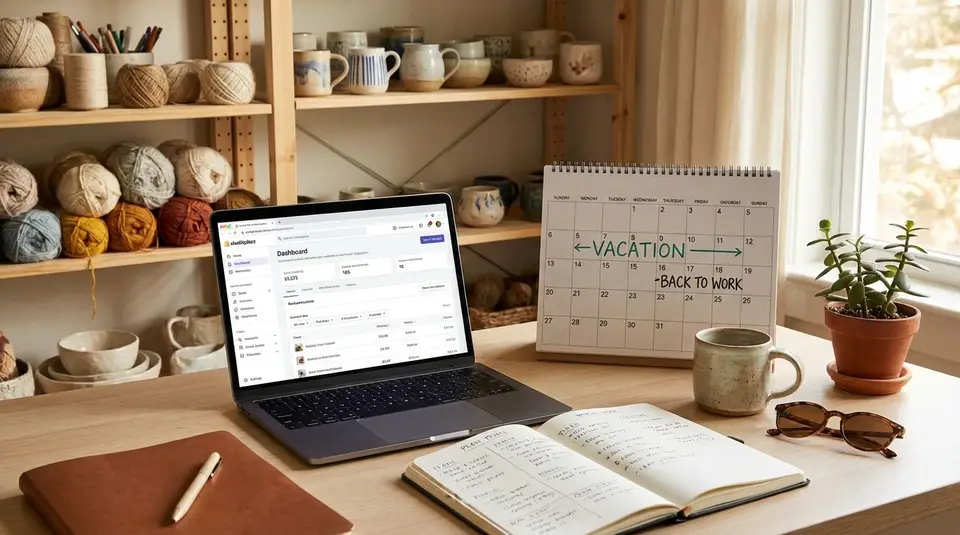
Etsy Vacation Mode is the built-in pause switch that hides your listings and stops new orders, which matters when you truly cannot keep up without risking late shipments and unhappy buyers. It’s best for real downtime like travel, illness, or an order backlog, not a quick breather where extending processing times and posting a clear shop announcement would cover you. Before you flip it on, tighten up your open orders, set a friendly auto-reply, and save any new listings as drafts so relaunch day feels organized instead of frantic. The comeback is usually won or lost on one overlooked detail: how you restart traffic and trust without shocking your workflow.
When should you turn on Etsy Vacation Mode?
Common reasons sellers pause their shop
Etsy Vacation Mode is best when you truly cannot accept new orders without risking late shipping or poor communication. Etsy specifically calls it helpful when you’re temporarily unable to run your shop, dealing with an emergency, traveling, sick, or you need a quick break to catch up on current orders. In Vacation Mode, your items won’t appear in Etsy search and won’t be visible to people browsing your shop, and buyers can’t place new orders while you’re away.
It’s also a smart move if you have limited access to supplies, your workspace, or reliable shipping pickups. If you’re already behind, flipping Vacation Mode on can stop the backlog from getting worse while you fulfill or refund what’s already open.
Vacation Mode vs extending processing times
If you can still ship, just slower, extending processing times is often the better first option. It keeps your listings active, so you can continue getting favorites, visibility, and steady order flow at a pace you can manage. Etsy even recommends adjusting processing times to reflect delays when you’re able to keep accepting orders.
Use Vacation Mode instead when you can’t realistically produce or ship at all. A buyer-friendly pause is usually better than taking orders you’ll later cancel.
For Etsy’s current rules on what changes while you’re paused, see How to Turn On Vacation Mode.
Long breaks vs short emergencies
For short emergencies (a few days to a couple weeks), Vacation Mode can be clean and simple: you pause sales, finish open orders, and come back fast. For longer breaks, plan ahead. Wrap up outstanding orders first, leave a clear message about when you expect to return, and consider whether extending processing times for a limited set of items could keep some income flowing without overcommitting.
Turning on Etsy Vacation Mode in Shop Manager and the app
Enabling it on desktop
On a computer, you’ll turn on Etsy Vacation Mode inside Shop Manager:
- Sign in to Etsy and open Shop Manager.
- Select Settings.
- Choose Options.
- Open the Vacation Mode tab.
- Switch Vacation Mode to On.
- Add a temporary shop announcement and a Message auto-reply.
- Select Save.
This is also a good moment to double-check any open orders and shipping commitments. Vacation Mode stops new purchases, but you still need to fulfill existing orders and respond to any open cases.
Enabling it on mobile
If you manage your shop on the go, you can enable Vacation Mode in the Etsy Seller app:
- Sign in to the Etsy Seller app.
- Tap More.
- Open the Shop settings dropdown.
- Tap Vacation mode.
- Toggle it On.
- Add your temporary shop announcement and Message auto-reply.
- Tap Save.
If you don’t see the option right away, make sure you’re in the Etsy Seller app (not the buyer Etsy app) and that you’re signed into the account that owns the shop.
Setting a return date and message
Etsy Vacation Mode doesn’t give you a dedicated “reopen on this date” field. Instead, you set expectations with your Vacation Mode message and your Messages auto-reply. Include a specific date if you can, like “Reopening on March 1,” and a simple plan for custom requests, such as “Message me and I’ll reply within 48 hours.”
The official steps and what buyers see while you’re paused are covered in Etsy’s help doc on Vacation Mode.
What happens to listings, search visibility, and shop pages
Can buyers still favorite or view past items?
When you turn on Etsy Vacation Mode, your shop basically goes into “pause” for new shopping. Etsy removes your items from Etsy search, and your listings aren’t visible to people browsing your shop page. Your shop page will show a notice that you’re taking a short break.
Your shop can still show up if someone searches your exact shop name, but it won’t appear as an auto-suggestion in search or other shopping tools. That means returning customers may still find you, but casual discovery drops sharply while you’re paused.
Even though browsing is limited, Etsy lets visitors sign up to be emailed when you return. That can be a nice, low-effort way to keep warm interest while you’re away.
Open orders, shipping, and digital downloads
Vacation Mode does not erase your responsibilities. You still have access to orders, cases, and Messages, and Etsy expects you to uphold your commitments to buyers with existing orders. You can also issue refunds, cancel orders, and print Etsy shipping labels while you’re paused.
For digital products, Vacation Mode stops new purchases, but it doesn’t undo past transactions. Buyers generally access digital files from the Purchases area of their Etsy account (or, for instant downloads as a guest, via the receipt email).
Timeline for listings to reappear after return
When you’re ready to reopen, you simply turn Vacation Mode off. After that, it can take up to 10 minutes for all of your listings to become visible again in your shop and in Etsy search.
Auto-replies, shop announcements, and keeping buyers informed
Setting an auto-reply for Etsy Messages
If you expect any buyer messages while you’re away, set up an Etsy Messages auto-reply before you pause the shop. Etsy supports temporary auto-replies (for a set window) and weekly auto-replies (a repeating schedule). A good auto-reply does three things: sets expectations for when you will respond, answers the most common questions (shipping, custom work, returns), and tells buyers what to do if they need to change or cancel an order.
One important detail: Etsy’s auto-replies are managed on Etsy.com (not in the Etsy Seller app). Etsy also notes that auto-replies are only sent to a shopper’s first message in a thread, so keep your reply clear and complete. You can review Etsy’s current setup steps under auto-replies and quick replies.
Writing a clear shop announcement
Your Vacation Mode announcement should be short, specific, and calm. Include:
- That your shop is temporarily closed and not taking new orders
- Your expected return date (or a date you’ll update by)
- What you’re doing about open orders (shipping as scheduled, delayed, or refunded)
- Whether you’ll be checking messages, and how often
Avoid vague wording like “back soon.” A date builds trust, even if you later adjust it.
Handling custom order requests while away
Custom requests can pile up fast during a pause. Decide in advance if you will accept them while in Vacation Mode. If the answer is no, say so clearly in both your auto-reply and announcement. If the answer is yes, set boundaries: what you can make, when you’ll confirm details, and when you’ll send a custom listing after you reopen. This keeps you from accidentally promising turnaround times you can’t meet.
Etsy Ads, Etsy Plus, and Star Seller impact
Etsy Ads status during Vacation Mode
When you switch on Etsy Vacation Mode, your listings are hidden and buyers can’t check out. That also changes how ads behave. Etsy states that Etsy Ads fees from any active campaigns won’t accrue while your shop is in Vacation Mode, which helps you avoid paying for clicks that cannot turn into orders.
This is still a good time to take a quick look at your marketing settings so you know what you want running when you reopen. If you plan to come back with new photos or updated keywords, you may want to hold off on ramping up ad spend until those updates are live.
Etsy Plus and subscription settings
Vacation Mode is a sales pause, not a subscription pause. If you subscribe to Etsy Plus, Etsy notes that Vacation Mode does not impact your Etsy Plus billing, so the monthly subscription fee continues during your break.
If you’re taking an extended pause, it’s worth deciding whether you actually want to keep the subscription active during that time. Just make that decision intentionally, instead of assuming Vacation Mode freezes everything.
Star Seller metrics and eligibility
Vacation Mode doesn’t “reset” Star Seller. Etsy reviews Star Seller eligibility based on the last 3 months of performance, regardless of whether you were on Vacation Mode. If you return and you meet the criteria for the current review period, you can still earn (or keep) Star Seller status.
The practical takeaway: avoid turning Vacation Mode into a communication blackout. If you can, keep an eye on Messages and existing orders so your response rate and on-time shipping stay healthy. For Etsy’s current details on ads, subscriptions, and Star Seller during a pause, see Etsy’s Vacation Mode guidance.
Pattern sites and external links while your shop is paused
What visitors see on a Pattern site
If you use Etsy Pattern as a standalone website, turning on Etsy Vacation Mode also affects your Pattern site. Etsy places a Vacation Mode overlay on your Pattern site that shows your vacation message. Importantly, Etsy says this overlay cannot be closed by a buyer, so visitors can’t browse around it like normal. They’ll also see a Contact Seller option in the overlay, which lets them message you directly. Details are covered in Etsy’s Vacation Mode help page.
One practical takeaway: your vacation message matters even more on Pattern than on Etsy. On Pattern, it becomes the main thing visitors see. Keep it short, include a return date if you can, and say whether you’re checking messages (and how often). If you cannot take custom work while paused, say that plainly to avoid a flood of requests.
Updating links from social and email
When your shop is paused, social and email links can still send people to your Etsy shop or Pattern site, but they may land on a break notice instead of products. A quick tune-up helps you protect goodwill:
- Update your Instagram/TikTok bio link (or Link-in-bio page) with a line like “Shop reopening on March 1” so people aren’t confused.
- Pin a short post or story highlight that repeats your return date and points to your email list.
- If you run an email list, send one simple “shop is paused” note now, and schedule a “we’re back” email for reopening week.
If you do nothing else, make sure your top two traffic sources (usually your bio link and your last promo email) match your Vacation Mode message. Consistency prevents frustrated clicks and repeat messages.
Coming back from Vacation Mode without losing momentum
Refreshing listings, photos, and inventory
Before you reopen, do a quick “storefront reset” so shoppers land on a shop that feels active. Start with your inventory reality. If materials are tight or certain items take longer right now, adjust those listings first. Then refresh what buyers actually see:
- Update the first photo on your bestsellers if it no longer matches your current style or packaging.
- Re-read titles and the first few lines of descriptions for clarity and sizing details.
- Double-check variations, quantities, and personalization fields so you do not reopen with avoidable errors.
If you have new listings to add, consider publishing them over a few days instead of dropping everything at once. That gives you a steadier workflow and a reason to share multiple “we’re back” updates.
Reopening with realistic processing times
The fastest way to lose momentum is to reopen with overly optimistic shipping promises. Set processing times for how you can ship now, not how you shipped on your best week. Etsy’s “ship by” dates are based on the processing time you set, so it’s worth updating them before your first new order arrives. For step-by-step help, use Etsy’s guide on processing times and ship-by dates.
If you expect a surge from returning buyers, pad your processing time for the first week, then tighten it later if you’re consistently shipping early.
Light promotions that fit Etsy policies
Keep promos simple and sustainable. A small shop-wide sale, a limited-time coupon for past customers, or a targeted offer to people who favorited items can nudge hesitant shoppers without forcing you into a rush.
If you run a sale, make sure your “before” prices are legitimate and compliant with the rules in Etsy’s Advertising & Marketing Policy. A clean, honest promo beats a flashy discount that creates customer service headaches.
Related posts
Keep reading

How Much Money Can You Make Selling on Etsy?
Discover realistic Etsy income ranges, profit margins, fees, and proven tips to boost sales so you can grow your handmade or digital product shop confidently.

How to Break Even Faster on Etsy
Learn how to break even faster on Etsy with smart pricing, fee-cutting tactics, bestseller research, SEO-powered listings, and affordable Etsy Ads strategies.

Why Sell on Etsy? Key Benefits Explained
Discover why selling on Etsy boosts your handmade brand visibility, low startup costs, built-in traffic, loyal buyers, and flexible, low-risk income.

What Products Can You Sell on Etsy?
Discover exactly what you can sell on Etsy—from handmade crafts and digital downloads to vintage treasures and craft supplies—and start growing a joyful shop today.

International Shipping on Etsy: Customs Forms Explained
Ship Etsy orders worldwide with confidence using clear customs forms, accurate HS codes, duties, taxes, and tariff info to avoid delays and surprise fees.

Auto-Renew on Etsy: Pros, Cons, and When to Turn It Off
Auto-renew on Etsy can save time, but adds $0.20 renewals; see when manual renewal fits one-of-a-kind, seasonal, or paused listings, plus 4-month expiry.