
How to Protect Your Etsy Shop From Scams and Phishing

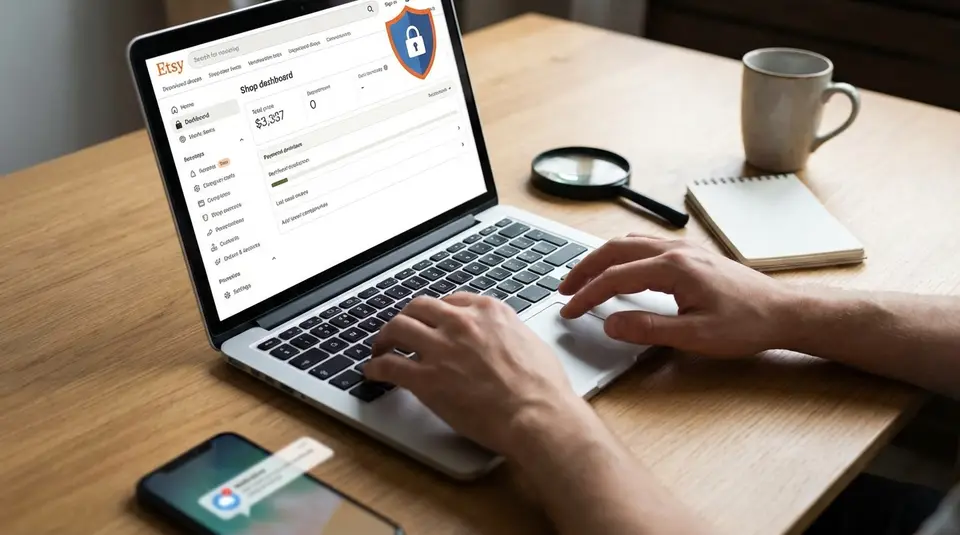
Etsy phishing is when scammers pose as buyers or “support” to trick you into handing over login details, verification codes, or payment info, and it can happen the moment your shop starts getting messages. The safest baseline is simple: keep conversations and transactions on Etsy, and treat any request to move to email, pay off-platform, or scan a QR code as a red flag. Look for signals of legitimacy, like messages that truly come from Etsy and links that keep you on the real Etsy site, then lock down your account with two-factor authentication and a unique password. The most expensive mistakes usually start with one quick click that feels routine.
Quick scam and phishing red flags Etsy sellers should spot
Requests to verify details via links
The most common Etsy phishing pattern starts with a link. The message says you need to “verify your shop,” “confirm a payout,” or “fix a listing issue,” and it pushes you to click fast.
Treat any verification link as suspicious if it:
- Sends you outside Etsy, especially to a login page.
- Uses a strange web address, extra words, or odd punctuation.
- Includes a QR code to “confirm” an order or “contact support.”
If you click a link and Etsy shows a “You’re about to leave Etsy” warning, stop there. Etsy also notes that real Etsy staff messages appear in a dedicated From Etsy area and won’t ask for your password or verification codes through Messages. The details are worth skimming in Etsy’s guide to scams and suspicious messages.
Off-platform payment or communication pushes
A legitimate buyer can check out on Etsy without needing your email address, your phone number, or a separate payment link. So when someone pushes you to move the conversation to Gmail, Instagram DMs, WhatsApp, or text, assume it’s riskier.
Same goes for payment. If they ask you to take payment via PayPal “Friends and Family,” Venmo, Zelle, gift cards, crypto, or an external invoice, you lose the protections and paper trail that come from keeping the transaction on Etsy.
Urgent threats and too-good-to-be-true offers
Scammers rely on speed and emotion. Watch for messages that threaten account suspension, chargebacks, or “policy violations” unless you act immediately. Also be cautious of buyers offering more than your asking price, sending “bonus” money, or requesting extras you never discussed.
If the message feels rushed, generic, or overly dramatic, pause. Real buyers usually ask clear questions about the item, timeline, or customization, not your login details.
How can you tell a message is really from Etsy?
Checking sender details and links safely
Start with the basics: don’t trust the display name alone. Scammers can name an account “Etsy Support” in seconds.
Instead, verify the message in two places:
- Where it appears: Real Etsy staff messages show up in a dedicated From Etsy inbox and are labeled with a From Etsy badge.
- Where links go: If a message contains a link, hover on desktop (or long-press and preview on mobile) and look at the real destination. Etsy warns you with a banner when you’re about to leave Etsy. If you see that warning, don’t proceed.
Also watch for QR codes. Etsy specifically flags QR codes in messages as a common phishing tactic, especially when they claim you must scan to “verify” your account or “confirm” an order.
Trusting only Etsy Messages and Shop Manager notices
For seller account issues, Etsy doesn’t rely on one random message thread. If something serious is happening (like a policy action), you should also see an alert in Shop Manager. That matters because phishing messages often create fake urgency with “final warnings” that don’t match anything in your actual dashboard.
A good habit is to navigate the safe way: open Etsy, sign in normally, then check Messages and Shop Manager from inside your account. If an email or message claims you must “log in to fix this,” ignore the link and go directly through Etsy instead.
Recognizing official badges and staff indicators
When a message truly comes from Etsy staff, it will be clearly marked. Etsy notes that legitimate staff profiles have an Etsy staff badge, and the message itself is labeled as From Etsy. In some cases, replies may be disabled, which is normal for official notices.
If someone claims they’re Etsy and you do not see the From Etsy badge, treat it as spam and move on. The quickest way to double-check the official markers is Etsy’s own phishing guide, How to Protect Yourself from Phishing Scams.
Common Etsy message scams targeting shop owners
Fake copyright or policy violation notices
These scams look official on purpose. You’ll get a message claiming your shop is infringing copyright, violating policy, or facing immediate suspension. The hook is usually a “case number” and a link to “appeal” or “confirm your identity.”
What’s real on Etsy: when a listing is removed for an intellectual property report, Etsy sends a formal notice and explains next steps. Etsy also notes you’ll get contact info for the reporting party, and any legitimate action should be reflected through your normal Etsy account experience, not a random outside form. If you’re unsure what a real infringement notice looks like, Etsy’s overview is a solid baseline: What to Do if You Receive a Notice of Intellectual Property Infringement.
Red flags: odd grammar, generic greetings like “Dear seller,” and any link that takes you to a non-Etsy login page.
Bogus order issues and refund pressure
Another common angle is a “buyer” claiming there’s a payment problem, shipping issue, or chargeback risk, and pushing you to refund immediately. Often they’ll demand you do it off Etsy, or they’ll send a link to “confirm” the order.
Before you do anything, verify the order is real inside Shop Manager. If it’s not in your actual orders list, it’s not an order. Keep refunds and resolutions on Etsy so your records match and you don’t end up paying twice.
“Support” impersonation and account takeover attempts
Account takeover scams aim for one thing: your login or your two-factor code. The message may ask you to “verify your bank,” “restore your shop,” or “unlock payouts,” and it may include a QR code.
A simple rule protects most shops: Etsy support will not need your password, one-time codes, or backup codes. If someone asks, report the message and stop engaging.
Account security settings that prevent most takeovers
Strong passwords and password managers
Your password is still the first line of defense for your Etsy account. Use a long, unique password that you do not reuse anywhere else, especially not for your email. Reused passwords are one of the easiest ways for scammers to jump from one compromised site to your shop.
A password manager helps here. It can generate a strong password and store it so you’re not tempted to “simplify” it. If you run your shop on multiple devices, a manager also keeps you from saving passwords in random browsers and losing track of what’s current.
Practical rule: if you can remember it easily, it’s probably too weak. Aim for length, uniqueness, and randomness.
Two-factor authentication and backup codes
Two-factor authentication (2FA) blocks most takeovers even if a scammer learns your password. On Etsy, you can typically use SMS, phone, or an authenticator app. Authenticator apps are usually the safer option because they are less vulnerable to SIM-swap style attacks.
When you turn on 2FA, Etsy gives you backup codes. Save them immediately and store them somewhere safe (not in your inbox, and not in a note on the same phone you use for 2FA). Treat backup codes like keys to the shop. Etsy support will not need them.
Reviewing sign-in history and active sessions
Etsy’s Security settings include sign-in history so you can spot logins you don’t recognize. Check it anytime you get a weird message, a surprise password reset email, or a sudden “verification” prompt.
If you see an unfamiliar device or location, sign out of that active session right away, then change your password and review your 2FA settings. Etsy walks through these security tools in its Seller Handbook article on Shop Security 101.
Keeping payments, files, and customer data safe on Etsy
Avoiding off-site invoices and payment links
If a “buyer” asks you to send an invoice through a random payment link, pause. This is a classic path into refund scams and stolen-card fraud. On Etsy, a real customer can check out through Etsy checkout. You can confirm the order and payment status inside Shop Manager without clicking anything in a message.
As a rule, keep these parts on Etsy:
- Checkout and payment
- Order details, shipping address, and tracking
- Refunds and cancellations
Once you move money off-platform (external invoice, cash app, gift cards, crypto), it’s much harder to prove what happened or get help if things go sideways.
Handling attachments and “proof” files safely
Scammers love “proof” files: screenshots of “failed payments,” fake chargeback notices, or PDFs that claim to be a shipping label. Even if an attachment looks harmless, treat it like untrusted software until you verify the order in Etsy.
Safer workflow:
- Check whether the order exists in your Etsy orders list.
- If it exists, rely on Etsy’s order page for status and next steps.
- If you still need to open a file (for example, a legitimate customization reference), do it only after you’ve confirmed the sender is a real buyer with a real order.
Limiting shared access and app permissions
If you use third-party tools for listings, shipping, or analytics, review your connected apps regularly. Only connect apps you truly need, and remove anything you no longer use. Etsy lets you revoke access to connected apps from your Account settings, which cuts off future access to your Etsy data. The exact steps are in Etsy Help under integrations for Etsy shops.
Also be careful with “helpers.” If someone needs to support your shop, don’t share your password. Use the minimum access needed, and keep financial and security settings limited to the account owner.
Reporting suspicious buyers, messages, and emails the right way
Marking messages as spam and blocking accounts
If a message feels even slightly off, don’t debate it in-thread. Don’t click links, don’t scan QR codes, and don’t “test” the sender with questions. Report it.
Inside Etsy Messages, the safest move is to Report the message or Mark as spam. That does two things: it sends the report to Etsy and moves the conversation out of your inbox. It also blocks that member from messaging you again or replying in the existing thread (they can still place an order, so keep an eye on your order list and payment status as normal).
If you accidentally flagged a real buyer, you can reverse it by going to your Spam folder and choosing Not Spam.
Reporting listings or profiles that look fraudulent
Sometimes the risk isn’t a message. It’s a suspicious listing, a copycat shop, or a profile that looks like it exists only to run scams.
Etsy has a built-in reporting flow:
- On a listing, choose Report this item (you’ll find it near the bottom of the listing or in the listing menu).
- On a shop page (desktop web), choose Report this shop to Etsy.
Keep your report specific. Include what looks wrong (for example, “impersonating Etsy support” or “asking for off-site payment”) and any order numbers or message details that connect the dots.
Forwarding phishing emails and preserving evidence
If the scam comes through email instead of Etsy Messages, Etsy asks you to forward suspected phishing emails to ReportPhishing@etsy.com.
Before you delete anything, preserve what matters:
- Screenshot the message or email (including the sender and timestamp).
- Copy the link destination (without clicking it) if you can safely view it.
- Note the Etsy username and the message thread, if it happened in Messages.
That evidence is helpful if you need to secure your account, dispute a transaction, or show Etsy exactly what happened.
What to do if your Etsy account is compromised
Securing the account and resetting access
Move fast, but stay calm. Your goal is to cut off access first, then clean up.
- Change your Etsy password immediately (and change your email password too if they share a password or recovery method).
- Turn on two-factor authentication (2FA) if it isn’t already enabled. If it is enabled, review it and regenerate backup codes.
- Sign out of other devices/sessions if you see anything you don’t recognize.
- Stop clicking links from messages or emails until you’re sure you’re signed in through the real Etsy site or app.
If Etsy temporarily limits access “for your protection,” follow the password reset flow and regain control before you do anything else.
Checking orders, payouts, and financial details
Once you’re back in, assume the attacker’s next move is money. In Shop Manager, review:
- Recent orders: Look for cancellations, address changes, or unusual high-quantity orders.
- Refunds and messages: Check for refunds you didn’t authorize or customers being told to pay off-platform.
- Payout and bank details: Confirm your payout deposit account and any saved payment details have not been swapped.
If you ship physical products, pause and double-check shipping labels for any new orders before you buy postage.
Contacting Etsy Support and your payment provider
If money moved, or you can’t fully secure the account, contact Etsy Support right away. Etsy’s “What to Do if You Suspect Fraud in Your Etsy Account” help page walks through the correct recovery paths and the situations Etsy handles directly: What to Do if You Suspect Fraud in Your Etsy Account.
Separately, contact your bank or card issuer if you see unauthorized charges, and ask about freezing or replacing compromised payment methods.
Steps to take if the email address was changed
If your Etsy email address was changed without permission, check your old inbox first. Etsy sends instructions there to revert the change. Follow those steps immediately, then change your password and enable 2FA to prevent a repeat.
Related posts
Keep reading

What to Do Before You Open an Etsy Shop
Get ready to open a successful Etsy shop with smart product ideas, branding, pricing, photos, SEO keywords, fees, policies, and launch marketing already planned.

How to Set Up Google Analytics for Your Etsy Shop
Learn how to set up Google Analytics 4 for your Etsy shop step by step to track traffic, buyer behavior, keywords, sales funnels, and marketing performance.

How to Create a Production Workflow for Your Etsy Shop (SOP Template)
Production workflow for your Etsy shop with an SOP template: map order intake to making, QC, packing and shipping, with roles, tools, and ship-by timing.
How to Separate Personal and Business Finances for Your Etsy Shop
Separate personal and business finances by using a dedicated bank account and card, tracking Etsy fees and payouts, and keeping clean, tax-ready records.

Etsy Refund Requests: How to Reply Without Escalating
Etsy refund requests: respond calmly with policy-based wording, options for returns or partial refunds, and clear next steps to prevent cases and chargebacks.

What to Do If Your Etsy Shop Gets Suspended (First Steps)
Etsy shop suspended? Check Etsy’s email notice, protect open orders, fix billing or ID issues, and submit a clear appeal so you can reopen again smoothly.