How to Bundle Digital Products on Etsy
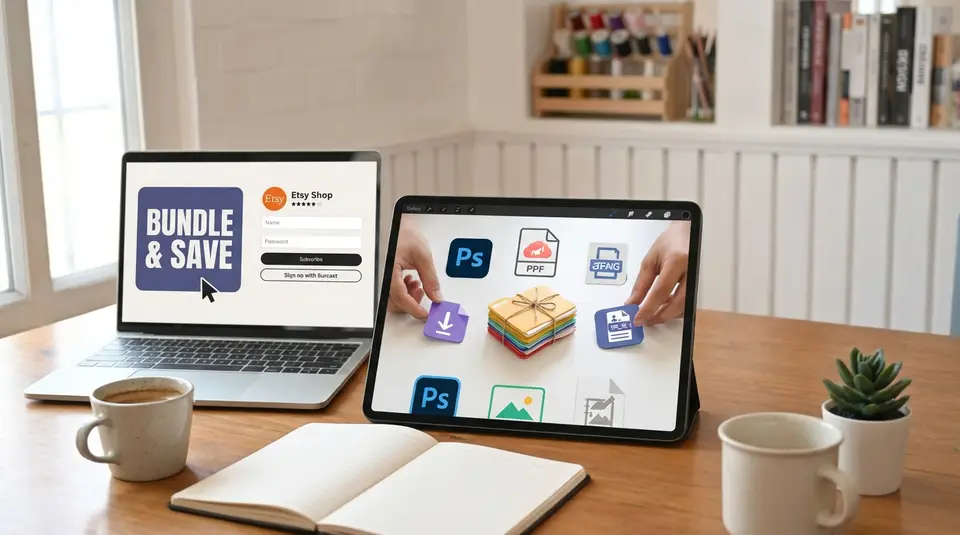
Bundling digital products on Etsy is a smart way to increase order value, showcase your best work, and stand out in a busy marketplace. When you bundle digital downloads, you can offer themed packs, “whole shop” deals, and value bundles that feel like a no‑brainer upgrade for your ideal buyer.
In this guide, you’ll learn how Etsy actually handles digital listings, how many files you can upload per listing, and practical ways to structure and price a bundle. We’ll walk through examples like planner packs, SVG sets, and mockup bundles, plus tips for listing settings, file organization, and customer-friendly delivery so you can confidently bundle digital products on Etsy.
What is an Etsy digital bundle and why use them?
An Etsy digital bundle is a listing where you sell several related digital products together for one price. Instead of a buyer purchasing a single planner page or one SVG, they get a whole coordinated set in one instant download. Technically, it is still just one digital listing, but the files inside can include many items packaged into up to five downloadable files of 20 MB each, often using ZIP folders to hold multiple pieces.
Digital bundles are popular because they feel like a “deal” for shoppers and a smart way for you to earn more per sale without extra work after the files are created.
How digital bundles work on Etsy vs single listings
With a single digital listing, the buyer pays for one main item, such as a budget tracker or a single clipart set. With a digital bundle, you group several complementary items into one listing and deliver them through the same download area in the buyer’s account. Etsy lets you attach up to five digital files to a listing, so sellers usually combine many assets into ZIP archives or link documents to fit everything in.
From the buyer’s side, both bundles and single items are downloaded the same way: after payment clears, they go to Purchases and Reviews and click “Download files.” The big difference is simply how much value they receive in that one download.
Why bundles boost sales and average order value
Bundles tend to raise your average order value because shoppers are willing to pay more when they see clear savings compared to buying each item separately. Many successful sellers price bundles at a noticeable discount, often around 20–30 percent less than the combined price of the individual products.
Bundles also stand out in search results. A listing that promises “50 planner pages” or “200 SVG bundle” looks more eye catching than a single file, which can improve click‑through and conversion. Once buyers feel they are getting a complete solution instead of one small piece, they are more likely to add to cart and less likely to keep browsing competitors.
When bundling makes sense for your digital shop
Bundling makes the most sense when your products naturally work together to solve one problem or serve one theme. Good times to create an Etsy digital bundle include:
- You have several related items that customers often buy together, like matching planner inserts or a set of wedding printables.
- You want a “premium” version of your offer, such as a full business starter kit that includes templates, checklists, and social media graphics.
- You are trying to simplify your shop by combining many tiny low‑priced listings into a few strong, high‑value offers.
It is less helpful to bundle random, unrelated files just to increase the file count. The best Etsy digital bundles feel curated, cohesive, and clearly more convenient than buying everything one by one.
What types of digital products bundle well on Etsy?
Digital bundles work best when they feel like a “kit” that helps a buyer solve one clear problem or complete one project. On Etsy, that usually means grouping related planners, templates, printables, clipart, or SVGs that share a style, theme, or purpose. Shoppers love feeling like they are getting a complete solution instead of hunting for pieces one by one.
Popular bundle ideas for planners, templates, and printables
Planners and printables are perfect for Etsy digital bundles because they are easy to mix and match. Strong bundle ideas include:
- Matching planner sets such as daily, weekly, and monthly planners in the same design, plus habit trackers and goal sheets.
- Business template bundles like social media content planners, invoice templates, brand boards, and client intake forms in one cohesive style.
- Event or life-stage kits such as wedding planner bundles, baby shower printables, homeschool planning packs, or holiday planning kits.
The key is to keep the bundle focused. A “wedding planner + budget + seating chart + checklist” bundle feels helpful and intentional. A random mix of unrelated printables feels messy and less valuable.
Bundling clipart, SVGs, and design assets the smart way
Clipart and SVG bundles sell very well on Etsy, especially for crafters using cutting machines or designers who want lots of options at once. To bundle these digital products smartly:
- Group by theme (for example, “boho floral clipart bundle” or “Christmas SVG t‑shirt bundle”) so buyers instantly know what projects they can create.
- Keep file formats consistent and clear. If you include SVG, PNG, JPG, and DXF, say so in the title and description, and organize them into labeled folders inside a ZIP file.
- Avoid stuffing in thousands of low-quality designs just to look “mega.” Buyers care more about clean, usable graphics than huge numbers.
Well-structured clipart and SVG bundles save your customers time, which makes them feel like a great deal even at a higher price point.
When you should NOT bundle certain digital products
Not every digital product belongs in a bundle. In some cases, bundling can actually hurt your sales or confuse buyers:
- High-ticket, specialized items such as a complex course workbook or a very detailed digital planner may deserve their own listing and premium price.
- Products with very different audiences should not be forced together. For example, mixing kids’ coloring pages with corporate presentation templates will make your listing harder to market.
- Items that require different software or skill levels can frustrate buyers if they expect to use everything. If half the bundle needs advanced design software and the rest is simple printables, split them into separate offers.
- If a product already sells well on its own at a strong price, consider offering it in a small add‑on bundle instead of burying it inside a huge discounted pack.
When in doubt, ask: “Would my ideal buyer actually want all of these digital products together for one purpose?” If the honest answer is no, that item probably should not be in the bundle.
How to plan your first Etsy digital bundle step by step
Choosing which products to combine (and what to leave out)
Start by looking at what your ideal buyer is trying to do, not what you are trying to sell. A good Etsy digital bundle solves one clear problem or project in a single purchase.
Ask yourself:
- What files are customers already buying together?
- Which listings get “frequently favorited” by the same people?
- What would make their life easier if it came in one download?
Combine products that:
- Share the same style, color palette, or format
- Are used in the same software (all Canva templates, all PDF printables, all SVGs for cutting machines)
- Work together in a workflow, like “plan → track → review”
Leave out items that:
- Need a different program to open
- Are a very different style or niche
- Would confuse the buyer about what they are actually getting
If you are unsure, imagine a buyer asking, “Why are these together?” If you cannot answer in one simple sentence, that product probably does not belong in the bundle.
Creating a logical theme so your bundle feels cohesive
A strong Etsy digital bundle has a theme that is obvious at a glance. Think in terms of “collections” instead of random files. Some easy theme ideas:
- By goal: “Small business branding starter kit” or “New teacher classroom pack”
- By event: “Bridal shower printables bundle” or “Holiday budgeting bundle”
- By style: “Neutral minimalist planner set” or “Boho rainbow nursery print pack”
Within that theme, make sure:
- Fonts and colors are consistent
- Layouts feel like they belong to the same family
- File types are clearly grouped (for example, all PDFs in one folder, all PNGs in another)
A cohesive theme makes your mockups look cleaner, your title easier to write, and your bundle feel like a premium, intentional product instead of a digital “grab bag.”
Deciding on bundle size: mini bundles vs mega bundles
For your first Etsy digital bundle, it is usually safer to start with a mini bundle. Mini bundles might include 3–10 related items. They are easier to create, easier to explain in the description, and faster to test. You can always grow them into larger collections later.
Mini bundles work well when:
- You are testing a new niche or style
- Your files are complex or high value (like detailed planners or advanced templates)
- You want an affordable “entry” product that encourages impulse buys
Mega bundles are larger collections, often 20+ items or many variations of the same item. They shine when:
- You already know a niche sells well
- You have a full product line that naturally fits together
- You want a high-ticket digital bundle that feels like a “complete solution”
A simple rule of thumb:
- If you are still experimenting, create a focused mini bundle.
- Once you see what customers love, combine your best-sellers into a mega bundle as a premium option.
This step-by-step approach keeps your first Etsy digital bundle manageable, clear, and much more likely to convert.
How to technically bundle digital products inside Etsy
How many digital files can you upload to one Etsy listing?
For a digital bundle, Etsy lets you upload multiple files directly to a single listing, but there is a limit. At the time of writing, you can add up to 20 individual digital files to one listing, with a total combined size of 10 GB. That total size is shared across all files in that listing, so a few large files can hit the limit quickly.
Each file can be a different format, such as PDF, PNG, JPG, SVG, or ZIP. If your bundle has more than 20 items or would exceed the size limit, you will need to group things into ZIP folders or use fewer, more efficient files.
When you plan your Etsy digital bundle, think in terms of “download slots.” You have 20 slots to work with, so decide which files truly need their own slot and which can be grouped together. This keeps your listing within Etsy’s limits and makes the download page less overwhelming for buyers.
Using ZIP folders to package multiple files neatly
ZIP folders are your best friend for larger Etsy digital bundles. A ZIP file lets you compress and group many files into one download, which saves space and keeps things tidy. For example, instead of uploading 30 separate PNGs, you can upload one ZIP called “Clipart Set – PNG Files.”
A simple structure might look like this inside your ZIP:
- 01_Read-Me-First
- 02_PDF_Versions
- 03_PNG_Folder
- 04_SVG_Folder
Use short, clear names so buyers instantly understand what is inside. Avoid nesting too many folders inside each other, because that can confuse less techy customers.
Before you upload, always test your ZIP: download it, open it, and make sure everything works on your own computer. If you sell to both Windows and Mac users, keep file names simple (no special characters) to reduce unzip issues.
Organizing your bundle files so buyers don’t get confused
A well organized Etsy digital bundle feels easy from the moment the buyer clicks “Download.” Start by giving every file and folder a plain-language name that matches what you promised in the listing. For example:
- “Weekly_Planner_A4.pdf” instead of “WP_final_v3.pdf”
- “Bonus_Stickers_Printable.png” instead of “extra1.png”
If your bundle has several parts, break them into clearly labeled folders like “Printables,” “Canva Templates,” “SVG Files,” or “Fonts.” Put a “Start Here” or “Read Me First” PDF or TXT file at the top level that explains:
- What is included
- Which file types are for which software
- Basic instructions for unzipping and opening files
Try to mirror the structure you describe in your listing description. When the folder layout matches your words and images, buyers feel confident and need fewer support messages. A clean, simple structure plus clear file names is the easiest way to keep your Etsy digital bundle stress free for both you and your customers.
How to create a new Etsy listing for a digital bundle
Creating a new Etsy listing for a digital bundle is mostly the same as any other digital listing, but you need to be extra clear that buyers are getting multiple files and exactly what is included.
Setting the right listing type and digital download settings
When you start a new listing, choose Digital as the item type, not Physical. For most bundles you will use Instant download, which means buyers get access to the files as soon as payment clears. Etsy lets you upload up to five digital files per listing, with each file up to 20 MB, including ZIP files.
Because bundles usually contain many pieces, it is smart to:
- Group your files into ZIP folders (for example, “Planner-Bundle-PDFs.zip” and “Stickers-PNG.zip”).
- Use one of your five upload slots for a short PDF guide that explains what is in each folder and how to open it.
Avoid using the made-to-order digital option for standard bundles, since that is meant for custom work and does not attach files at checkout.
Writing a clear title that says it’s a bundle
Your title should instantly tell shoppers three things: what it is, who it is for, and that it is a bundle. For example:
“Small Business Branding Bundle | 50 Canva Templates, Logos & Social Media Graphics | Instant Download”
Include the word “bundle”, “set,” or “kit” near the front, plus key product words like “printable planner,” “SVG,” or “clipart.” Keep it readable for humans first, then sprinkle in a few extra keyword phrases toward the end of the title if you have space.
What to write in your description so buyers know what’s included
Think of your description as a friendly tour of the bundle. A simple structure works well:
- Quick overview: One short paragraph that says what the bundle is and who it helps.
- What’s included: A clear, scannable list of everything in the bundle. Mention:
- Number of files or templates
- File types (PDF, PNG, JPG, SVG, ZIP, etc.)
- Sizes or formats (A4, US Letter, 8.5x11, 300 DPI, etc.)
- How it works: Explain that this is a digital download, no physical item ships, and where buyers can find their files after purchase.
- Software needed: Note any programs required, like a PDF reader, design software, or cutting machine software.
- Usage terms: Briefly state if it is for personal use, commercial use, or limited commercial use.
Use headings or short sections so buyers can skim. Make sure the description matches the actual files you upload to avoid confusion and disputes.
Adding accurate attributes and categories for digital bundles
When you choose a category, pick the one that best matches the main purpose of the bundle, such as:
- “Templates” or “Printables” for planners and forms
- “Clip Art & Image Files” for graphics and PNG sets
- “Patterns & Tutorials” or similar for craft files
Then fill out attributes as accurately as possible: digital format, subject, occasion, and recipient where relevant. Even though Etsy’s attributes are not “bundle specific,” choosing the closest, most honest options helps your listing appear in the right searches and builds trust with buyers.
Pricing your Etsy digital bundles without undercharging
Simple way to price based on your single item listings
A simple starting point is to base your bundle price on what you already charge for single items. Add up the regular prices of every product inside the bundle, then apply a reasonable discount, not a huge one.
For example, if five printables are usually 5 dollars each, the total value is 25 dollars. A healthy bundle price might be 14 to 18 dollars. That gives buyers a clear saving while still paying you fairly for the extra value and convenience.
In general, many sellers like a discount range of about 25 to 40 percent off the combined value. Less than that can feel like a weak deal. More than that can train shoppers to wait for bundles and ignore your single listings.
Also think about:
- How unique or premium the items are
- How long they took to create
- Whether the bundle solves a bigger problem than each item alone
If your bundle replaces several separate purchases and saves the buyer time, it can be priced higher than you first expect.
When to use tiered pricing and limited-time bundle deals
Tiered pricing works well when you have bundles at different levels. For example:
- A mini bundle at a lower price for beginners
- A standard bundle with your most popular items
- A premium bundle with everything plus bonuses
This lets shoppers self-select based on budget and needs, and it often nudges them toward the middle or higher tier.
Limited-time bundle deals are helpful when you:
- Launch a new bundle and want quick sales and reviews
- Run seasonal events like back to school or holidays
- Want to clear attention away from older, weaker listings
If you run a sale, make sure the original price is real and consistent for a while before discounting. Use discounts for short, clear periods so buyers feel urgency but do not start expecting constant sales.
How to test and adjust bundle prices over time
Think of your first price as a test, not a final decision. Watch how your bundle performs for at least a few weeks:
- If views are high but sales are low, your price may be too high or the value is not clear in the listing.
- If it sells quickly and buyers say it is an “amazing deal,” you might be able to raise the price slightly.
Change prices in small steps, such as 1 to 3 dollars at a time, and track what happens. Avoid changing the price every few days. Give each new price enough time and traffic to see a pattern.
You can also test:
- A higher regular price with occasional short sales
- A slightly lower everyday price with no sales
Over time, your sales history, reviews, and repeat customers will show you where your Etsy digital bundle price feels fair for both you and your buyers.
Making your bundle images and mockups look irresistible
What to show in your main bundle thumbnail
Your main bundle thumbnail has one job: make it instantly clear that this is a bundle and that it feels like a lot of value.
Use a clean, bright image that:
- Shows several key pieces from the bundle together, not just one page or file.
- Has enough empty space around the design so Etsy’s square thumbnail crop does not cut anything important off. A horizontal or square image with a 4:3 style layout works best for thumbnails on Etsy.
- Uses large, readable text like “30‑page planner bundle” or “SVG bundle – 100 designs” if you add text at all. Keep it short and easy to read on mobile.
Avoid cluttered backgrounds and tiny text. Instead, think “hero image”: a few of the strongest pages or designs fanned out, stacked, or shown on screens or paper, with the word bundle clearly visible. Make sure the image is high resolution (around 2000 px on the long side) so it looks crisp in search.
Carousel image ideas that show everything buyers get
Your extra listing photos should walk buyers through the bundle so they feel like they are “unboxing” it before they buy. Some simple ideas:
-
Contents overview slide One image that lists or visually shows everything included: number of pages, file types, and main categories (for example: “Daily, weekly, monthly, habit tracker, bonus stickers”).
-
Close‑ups of key items Show close views of your best or most detailed pages so shoppers can see fonts, layout, and style. Close‑ups help replace the “touch and feel” they miss online.
-
Variation / color options If the bundle includes multiple colors, sizes, or styles, dedicate one image to each set so buyers understand the variety.
-
What’s actually included vs shown together If you style your mockups with props or extra items, add at least one slide that clearly states what is and is not included in the download. This reduces confusion and refunds.
-
Tech details slide A simple graphic that lists file types (PDF, PNG, SVG, etc.), sizes, and how many files are in the ZIP. This reassures buyers that the bundle will work with their software.
Keep the style consistent across all images: same background tone, similar fonts, and similar framing. A cohesive look makes your shop feel more professional and trustworthy.
Using Canva or mockup templates to show your files in use
Canva and other mockup tools are perfect for digital bundles, as long as you follow Etsy’s image rules and use designs you have the rights to.
Here is how to use them effectively:
-
Start with a large canvas Create your listing images at or above Etsy’s recommended size (at least 2000 px on the shortest side) so they stay sharp after upload.
-
Use realistic, simple mockups Place your planner pages on tablets, laptops, clipboards, or printed sheets on a desk. For clipart or SVG bundles, show designs on mugs, shirts, tote bags, or signs. Choose mockups with neutral backgrounds so your designs stay the focus.
-
Show both digital and printed use If your bundle can be used digitally and printed, create one mockup of the design on a device and another as printed pages. This helps buyers imagine how they will actually use the files.
-
Add light branding, not heavy watermarks You can include a small logo or shop name in a corner or on a prop, but avoid big watermarks that cover the design. Etsy warns that heavy watermarks can hurt how your images are featured and seen in ads.
-
Export in the right format Download your mockups as JPG or PNG at high quality, then upload to Etsy. Make sure colors are in sRGB so they display correctly on the site.
When your bundle images clearly show what is inside, how it looks in real life, and how much value buyers get, your digital bundle will stand out in search and convert far more views into happy customers.
Etsy SEO tips just for digital bundles
How to use the word “bundle” and related phrases naturally
For Etsy SEO, you want Etsy to clearly understand that your listing is a digital bundle, but you also want your title and description to sound human. A good rule is to use “bundle” once in the front half of your title, then repeat it a couple of times in the description where it fits naturally. Etsy gives extra weight to the first words in your title, so lead with what the item is, then add “bundle” soon after.
For example: “Printable Wedding Planner Bundle, 50-Page Digital Planner PDF Set”
In your description, mix in related phrases like “digital bundle,” “printable bundle,” “template pack,” “value set,” “mega kit,” or “clipart pack” instead of repeating “bundle” in every sentence. This keeps things readable while still reinforcing what you sell. Avoid stuffing your title with “bundle, bundle, bundle” or repeating the same phrase over and over, since keyword stuffing can hurt performance in search.
Use “bundle” in:
- Title
- First 1–2 lines of the description
- A few tags (for example: “planner bundle,” “digital bundle,” “printable bundle”)
That is enough for Etsy to understand your listing without looking spammy.
Picking keywords for niche-specific digital bundles
Start with the main problem or goal your bundle solves, then add the niche. For example:
- “printable budget planner bundle for moms”
- “teacher classroom decor bundle”
- “small business social media template bundle”
Your primary keyword should be at the start of the title, with supporting phrases after it. Etsy and search engines pay the most attention to the first 50–60 characters, so front‑load the most important words.
Think in layers:
- Product type: printable planner, SVG bundle, clipart set, Canva template.
- Audience or niche: teachers, photographers, Etsy sellers, realtors, moms.
- Occasion or use: wedding, Christmas, Black Friday, classroom, budgeting.
Combine these into natural phrases instead of a long string of random keywords. For example: “Real Estate Instagram Template Bundle, Canva Social Media Kit for Realtors”
You can reuse your best keywords in the description and tags, but vary the wording slightly with close synonyms like “set,” “kit,” “pack,” “collection,” and “bundle.” This helps you show up for more searches without sounding robotic.
Writing tags that match how shoppers actually search
Etsy gives you up to 13 tags, and you should use all of them. Each tag can be a short phrase, not just a single word, so focus on real search phrases buyers would type, such as “printable budget planner,” “teacher planner bundle,” or “SVG Christmas bundle.”
For digital bundles, a simple tag strategy looks like this:
- 2–3 tags for the main product type: “planner bundle,” “printable planner set,” “digital planner bundle”
- 3–5 tags for the niche or audience: “teacher planner,” “homeschool planner,” “small business templates”
- 3–5 tags for occasion, style, or format: “wedding planning printables,” “minimalist templates,” “Canva templates,” “instant download”
Avoid repeating the exact same phrase that is already in your title too many times. Instead, use close variations and long‑tail phrases that feel like natural searches. Etsy matches titles, tags, and categories together, so as long as your tags are clear and relevant, your digital bundle has a much better chance of showing up for the right shoppers.
Keeping customers happy after they buy your bundle
Writing simple download instructions for your buyers
Clear download instructions can turn a confusing experience into a smooth, happy one. Keep things short, friendly, and specific to how Etsy delivers digital files.
In your description and in a separate PDF “Read Me First” file, explain:
- That the product is a digital download and nothing will be shipped.
- Where to find files:
- On desktop: “You can download your files from your Etsy account under Purchases and Reviews.”
- On mobile: “Use a browser on your phone or a computer, as the Etsy app does not always support direct file downloads.”
- What they will receive: list the file types, number of files, and whether they are in ZIP folders.
Use simple, step‑by‑step wording, for example:
- Log in to your Etsy account.
- Go to “Purchases and Reviews.”
- Find this order and click “Download Files.”
- Save the files to your computer or cloud storage.
Add a short reassurance line like:
If you have any trouble downloading or opening your files, send me a message and I will be happy to help.
This sets expectations and makes buyers feel supported.
How to reduce “I can’t open the file” questions
Most “I can’t open the file” messages come from three issues: ZIP folders, file types, and using phones or tablets. You can prevent many of these by being proactive.
In your listing and “Read Me” file, include:
- Device advice: Suggest downloading on a computer first, then transferring to a tablet or phone if needed.
- ZIP explanation: Briefly explain that ZIP files are compressed folders and must be unzipped before use. Mention that most computers can unzip by double‑clicking, and that buyers may need an unzip app on mobile.
- Software suggestions: Tell buyers what they need to open each file type, such as a PDF reader, a design program, or a cutting machine app.
You can also:
- Include at least one ready‑to‑use PDF when possible, so less tech‑savvy buyers have something they can open right away.
- Name files clearly, like “Start_Here_Instructions.pdf” or “Print‑Ready‑A4‑Planner.pdf,” so buyers know what to click first.
- Add a short FAQ section in your description with questions like “I cannot open the ZIP file” or “The file looks blurry when I print.”
The clearer you are up front, the fewer support messages you will get later.
When and how to offer updates or bonus files to past buyers
Thoughtful updates and bonus files can turn a one‑time buyer into a loyal fan. The key is to keep it manageable for you and easy for them.
When it makes sense to update or add bonuses:
- You improved the design, fixed a typo, or added extra sizes.
- You created matching items that make the original bundle more useful.
- You want to reward early buyers or celebrate a milestone or holiday.
How to offer updates smoothly:
- Update the files in the existing listing so new buyers automatically get the latest version.
- Add a note in your description like: “Last updated: March 2025 – now includes US Letter and A4 sizes.”
- For bigger changes, create a simple “What’s new” PDF inside the bundle so returning buyers can see what changed.
To let past buyers know, you can:
- Add a short line in your shop announcement inviting previous customers to message you with their order number if they want the updated files.
- Reply kindly to anyone who contacts you about an older version and send them the new files through Etsy messages.
For bonus files, keep them small and relevant, such as:
- Extra planner pages that match the original style.
- A few additional clipart elements that fit the same theme.
You do not have to update every bundle forever. Choose your bestsellers, set clear notes about what is included, and treat updates as a way to delight customers while still protecting your time and energy.
Growing your shop with more bundles (without burning out)
Growing your Etsy shop with more digital bundles should feel exciting, not exhausting. The goal is to reuse what you already have, spot patterns in what sells, and build bundles that practically design themselves. When you work this way, each new bundle adds income without adding a ton of extra stress.
Turning your existing shop into bundle combos
Start by “shopping your own shop.” Look at your current digital products and group them into natural sets. For example, if you sell a daily planner, a weekly planner, and a habit tracker, that is an easy productivity bundle.
A simple process:
- List your main product types (planners, SVGs, clipart sets, social media templates, etc.).
- Under each type, circle items that solve the same problem or serve the same audience.
- Turn those circles into bundle combos: “Teacher Planner Starter Pack,” “Small Business Branding Kit,” “Wedding Printables Bundle.”
You do not need to create new designs for every bundle. Often you can:
- Combine 3 to 10 existing listings into one value-packed offer.
- Add one small bonus file (like a checklist or cover page) to make the bundle feel special.
This way, you increase your average order value using work you have already done.
Creating seasonal or themed bundles from what you already sell
Seasonal and themed bundles help you ride demand spikes without starting from scratch. Look at holidays, school seasons, and life events your audience cares about. Then ask, “What do I already sell that fits this theme?”
Examples:
- Turn generic planner pages into a “Back to School Student Planner Bundle.”
- Combine party invitations, cupcake toppers, and banners into a “Birthday Party Printables Bundle.”
- Group red and green clipart, gift tags, and greeting card templates into a “Holiday Graphics Bundle.”
You can also create “lifestyle” themes like “New Year Goal Setting,” “Spring Cleaning,” or “Wedding Planning.” Use your existing files, maybe refresh colors or add a dated version, and package them as a limited-time or seasonal bundle. This keeps your shop feeling fresh while reusing your core assets.
Tracking what sells so you know which bundles to make next
To grow with intention, let your data tell you which Etsy digital bundles to create next. Set a recurring time, like once a month, to review:
- Your top-selling digital listings
- Items with high favorites but lower sales
- Search terms shoppers used to find your products
Patterns here are gold. If a certain planner layout or SVG style keeps selling, build more bundles around that style or audience. If people often buy two specific listings together, turn them into a “starter bundle” and price it slightly below buying both separately.
Keep a simple tracking sheet where you note: product name, sales, favorites, and which bundle it belongs to. Over time, you will see which bundles drive the most revenue and which themes your audience loves. Then you can focus on expanding those winners, instead of trying to bundle everything and burning out.
Related posts
Keep reading
How to Sell Digital Products Without Cannibalizing Sales
Discover pricing, positioning, and funnel strategies to sell digital products alongside existing offers, boosting revenue without cannibalizing core sales.
How to Protect Digital Files From Theft on Etsy
Protect Etsy digital downloads from theft with smart watermarks, secure file delivery, licenses, DMCA takedowns, and piracy monitoring to safeguard your profits.
What Products Can You Sell on Etsy?
Discover exactly what you can sell on Etsy—from handmade crafts and digital downloads to vintage treasures and craft supplies—and start growing a joyful shop today.
Why Sell on Etsy? Key Benefits Explained
Discover why selling on Etsy boosts your handmade brand visibility, low startup costs, built-in traffic, loyal buyers, and flexible, low-risk income.

How to Increase Repeat Customers on Etsy
Boost Etsy repeat customers with unforgettable unboxing, personalized messages, loyalty discounts, fast shipping, and email marketing that keeps your shop top-of-mind.
Why Your Etsy Sales Dropped: 5 Reasons and Fixes
Discover why your Etsy sales dropped and boost revenue fast with fresh SEO, algorithm-proof visibility tips, seasonal strategies, pricing, photos, and conversion fixes.