
How to Use YouTube Shorts to Send Buyers to Etsy (Beginner Setup)

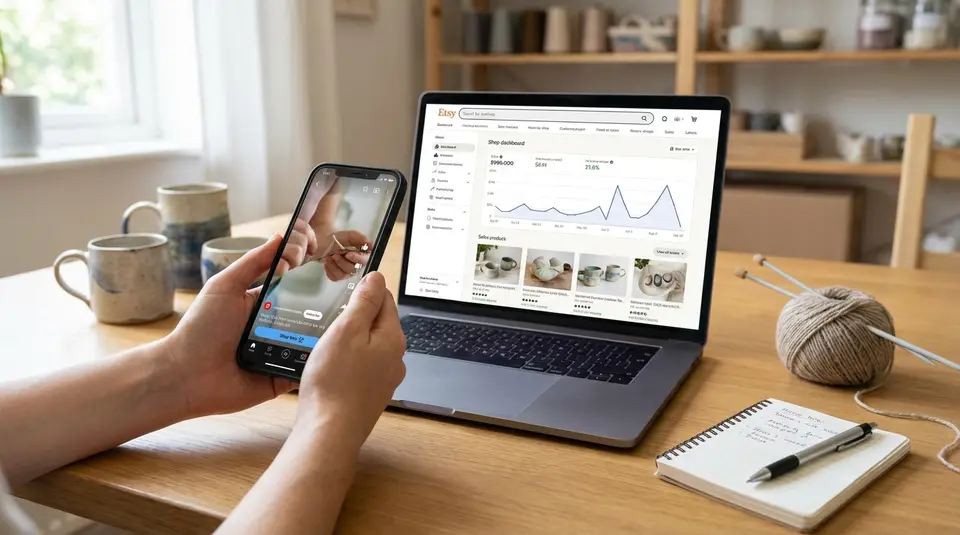
YouTube Shorts can be a fast way to get the right people curious about your products, but the setup matters because viewers can’t reliably tap an Etsy link from a Short the way they can from a regular video. The goal is simple: earn the swipe-stopping view, then give buyers a clean next step that’s easy to remember, like a single channel link, a short on-screen URL, or a named shop page that matches what they just saw. Beginners get the best results by filming tight product demos, adding a clear call to action in the first seconds, and sending everyone to one focused landing spot instead of a messy list of links. The biggest sales-killer is choosing the wrong destination, even when the video performs.
Why YouTube Shorts can drive Etsy shop visits
How Shorts discovery differs from long videos
YouTube Shorts are built for quick discovery. Instead of relying mostly on search intent like many long videos, Shorts can be pushed to new viewers through the Shorts feed based on watch time, rewatches, and engagement signals. That matters for Etsy sellers because you do not need an established audience to get traction. A simple, clear product moment can outperform a polished brand video if it holds attention.
Shorts also reward clarity. Viewers decide in a second or two whether to keep watching. So the best Etsy-focused Shorts usually show the product immediately, name the outcome, and make the next step obvious. Think: “Here’s what this does” plus “Here’s where to get it.” Long videos are better when someone wants to compare options, hear your full process, or build trust over time. Shorts are better for creating the first spark and pushing people toward your Etsy shop link, your shop name, or a specific listing.
If you treat Shorts like mini ads, they often fall flat. If you treat them like mini demonstrations, they can consistently send warm traffic to Etsy.
Product niches that do well in Shorts
Shorts tend to perform best when the product is visually obvious and the value is easy to grasp fast. Etsy categories that often fit this format include:
- Handmade items with a transformation: before-and-after, assembly, or “from blank to finished.”
- Personalized products: quick name reveal, proof preview, or customization options shown on-screen.
- Problem-solving gifts: “gift for a teacher,” “new homeowner,” or “bridesmaid” style ideas that match Etsy browsing behavior.
- Satisfying process-based items: pouring, pressing, engraving, stitching, packing, or peeling that viewers watch to the end.
- Small, shippable goods: stickers, jewelry, candles, art prints, and accessories that are easy to understand without a long explanation.
Vintage can work too, especially when you anchor the Short around one clear hook, like a rare detail, a time period, or a styling idea, then point viewers to your Etsy shop for the exact piece.
YouTube channel setup to send traffic to an Etsy shop
Channel branding that matches your Etsy shop
Make it obvious you are the same brand everywhere. Use the same shop name spelling, logo, and color style on your YouTube channel banner, profile photo, and Etsy shop icon. When a viewer jumps from a Short to your channel page, they should instantly recognize they are in the right place.
If your Etsy shop name is hard to read or easy to misspell, simplify what you show on YouTube. Keep one consistent version of your name in on-screen text, your channel handle, and your video covers. Consistency reduces “lost buyers” who try to search your shop and give up.
About section and link placement basics
For Shorts traffic, your channel links matter more than most people think. YouTube notes that URLs in Shorts descriptions and Shorts comments are not clickable, so your channel profile links are often the cleanest path to Etsy for beginners. You can confirm which links are clickable in YouTube’s help doc on sharing links with your audiences.
Set up one primary destination first: your Etsy shop homepage link in the format Etsy supports, like www.etsy.com/shop/YourShopName. Use a short, clear link title such as “Shop on Etsy,” not “Link” or “Store.”
Pinning a shop link in comments
Pinned comments are still useful, but think of them as a reminder, not your main click path. Since links in Shorts comments are typically non-clickable, a pinned comment works best when it repeats:
- Your exact Etsy shop name (easy to search).
- A simple “Find me on Etsy: ShopName” line.
- The product keyword from the Short (“search my shop for: birth flower necklace”).
If you also publish long-form videos, pinning a clickable Etsy link in long-form comments can be a strong backup.
Linking options from Shorts to Etsy without confusion
Using Shorts descriptions and pinned comments
The big rule to plan around is simple: URLs in Shorts descriptions and Shorts comments show up as plain text, not tappable links. You can still include them for reference, but treat them as a reinforcement, not your main path to Etsy. YouTube outlines what is and isn’t clickable in its Sharing links with your audiences help page.
What usually works better for Etsy is reducing choices:
- Send viewers to your channel link button/profile link, where the Etsy link is actually clickable.
- Repeat your exact Etsy shop name on-screen and in the caption so people can search it.
- If you want to direct shoppers to a tight collection, use an Etsy shop URL format that’s easy to type and remember, like www.etsy.com/shop/ShopName, or point them to “Shop sections” or a keyword inside your Etsy shop.
The main goal is clarity. One destination beats five.
Using a related long video as a bridge
If you can make even one simple long-form video for your best seller, it becomes your “link hub” for that product. Your Short grabs attention. The long video does the explaining, answers questions, and includes a clickable Etsy link in the description and pinned comment.
This also helps when the buyer intent is higher. For example: sizing details, personalization steps, care instructions, or what’s included.
CTA placements that get clicks
Put your CTA in three places so it’s hard to miss:
- On-screen text at 1 to 3 seconds: “Find it via my channel link” or “Search Etsy: ShopName.”
- Spoken CTA near the end: quick and specific, not vague.
- First line of the caption: repeat the exact action you want, using the same wording every time.
Shorts content ideas that attract Etsy buyers
Product demo and problem solve
The fastest way to attract Etsy buyers is to show the product solving one clear problem in under 20 seconds. Start with the result first. Then show the “how” for just long enough to build confidence.
A few formats that work across most Etsy categories:
- Before/after: “Blank wall” to “finished gallery print set.” “Messy keys” to “personalized key fob.”
- One feature, one benefit: show the feature on camera, then name the buyer outcome. Example: “Waterproof vinyl, so it survives water bottles and dishwashers.”
- Personalization reveal: show the name, date, or design choice appearing. Then flash the options.
Keep the demo honest. Buyers do not need every detail in the Short. They need to believe the item is real, useful, and easy to order on Etsy.
Packaging and behind the scenes
Packaging Shorts work because they answer a silent question: “Will this feel good to receive?” Etsy shoppers often care about gifting, presentation, and small touches. A simple packing clip can communicate quality faster than a paragraph.
Good behind-the-scenes angles include:
- Pulling the finished item from your workspace and placing it in the mailer.
- A quick “order to shipment” sequence with 3 to 5 cuts.
- Close-ups of labels, care cards, or gift notes (avoid showing customer addresses).
Also, use these videos to set expectations. If your shop offers gift messaging, made-to-order timelines, or custom options, mention it quickly and point viewers to your Etsy shop for details.
Customer review and social proof
Social proof converts when it’s specific. Instead of “People love this,” show the exact line from a real review on screen (with the buyer’s name hidden), then show the product in use.
Strong Short ideas:
- “Customer said: ‘…’” overlay, paired with a close-up that matches the compliment.
- A “Top 3 questions answered” Short pulled from messages or reviews (shipping, sizing, materials).
- A quick collage of finished variations to prove consistency.
If you sell personalized items, this is also a good place to reassure buyers about your process: how you confirm details, what they can customize, and what happens if they need a change.
Hook, script, and CTA structure for product Shorts
Hook styles for handmade and vintage items
A good hook for Etsy is visual first, words second. Show the finished item immediately, then give viewers one reason to care.
For handmade items, hooks that tend to hold attention include:
- The transformation: raw materials to finished piece in 2 to 3 fast cuts.
- The “why this exists” hook: “I made this because regular X always breaks/slips/fades.”
- The personalization hook: “Watch me make this with your name.”
For vintage, focus on what makes it rare or easy to style:
- The detail shot: label, texture, hardware, maker mark, or era-specific feature.
- The styling hook: “How to wear a 70s blouse without looking costume-y.”
- The condition clarity: one quick, honest close-up that builds trust.
Avoid slow intros. No logo animations. No “Hi guys.” Start with the product and a clear point.
On-screen text that sells fast
On-screen text should do three jobs: identify, qualify, and direct.
Keep it short, high-contrast, and placed where it won’t be covered by the Shorts UI. Aim for 3 to 6 words per line. Helpful text patterns:
- What it is: “Personalized birth flower necklace”
- Key spec: “Sterling silver option” or “Fits 8x10 prints”
- Buyer fit: “Gift for new moms” or “Teacher thank-you gift”
- Next step: “Shop link on my channel”
Try to keep wording consistent across videos so repeat viewers learn your “language” fast.
Call-to-action lines that fit Etsy shopping
Etsy shopping is often search-driven, so your CTA should match how viewers will actually find you. Rotate between these simple lines:
- “Tap my channel and hit the Etsy link to shop.”
- “Search Etsy for [YourShopName] to see today’s stock.”
- “Want this exact one? It’s in my Etsy shop under [section name].”
- “Custom orders are open. Details are in my Etsy listing.”
If the Short features one specific product, say the product name the way it appears in your Etsy listing. That helps both humans and search, and it reduces confusion when you have similar items.
Posting and optimization settings that improve reach and clicks
Titles, keywords, and hashtags for product discovery
For Etsy-focused Shorts, write titles like a buyer search, not like a diary entry. Lead with the product keyword, then add the buyer intent. Example: “Personalized Dog Tag, Custom Engraved Gift” beats “New order going out!”
Use 1 to 2 core keywords you also use on Etsy, like the main phrase from your listing title. Then add one qualifier that filters the right buyer in: material, style, recipient, or use case.
Hashtags help with context, but they’re not a magic lever. Keep them tight:
- 2 to 5 hashtags total.
- Mix one broad tag (#etsy or #handmade) with 1 to 3 specific product tags (#birthflowernecklace, #custompetportrait).
- Skip vague tags that don’t match purchase intent (#viral, #fyp). They can attract the wrong audience.
Captions, covers, and first-frame thumbnails
Treat the caption as a second headline. Put the product phrase first, then your simple direction: “Shop link on my channel” or “Search Etsy: ShopName.” Keep it consistent so repeat viewers learn what to do.
For the cover and first frame, assume most people will see it small on your channel grid. Show the product large, bright, and centered. Add a short label like “Custom Name Necklace” or “Vintage 90s Leather Bag.” If you sell variations, use a cover style that signals the category, then let the colorway or personalization be the surprise inside the Short.
Posting cadence and batch filming workflow
Consistency matters more than volume. A realistic beginner cadence is 3 to 5 Shorts per week, then adjust once you see what actually sends traffic to Etsy. If you can only post twice a week, that’s fine. Just keep the format consistent so you can learn from patterns.
Batch filming makes this sustainable. One simple workflow:
- Pick 3 products (or 1 product with 3 angles).
- Film 5 to 10 short clips per product: close-up, in-hand, packaging, detail shot, and a “use” moment.
- Edit into multiple Shorts, each with one hook and one CTA.
This also helps you avoid the common trap of posting random clips that get views but don’t build a clear path back to your Etsy shop.
Tracking Etsy traffic and sales from YouTube Shorts
UTM links and Etsy stats to watch
Start with Etsy’s built-in reporting. In Shop Manager, Etsy Stats will show you whether traffic is coming from Social media, Direct & other traffic, or Etsy’s own channels. The “How shoppers found you” area is the quickest way to see if YouTube efforts are moving the needle, even when a Short can’t send a clickable link directly. Etsy explains what each traffic source means in How to Use Etsy Stats for Your Shop.
If you use UTM parameters, keep expectations realistic. UTMs are most useful when they’re attached to a link you control (like a simple landing page), because Etsy’s Stats rollups may not always break out every UTM variation in a clean, marketer-style report. Still, consistent naming helps your own organization.
Stats worth watching weekly:
- Visits from Social media
- Orders and conversion rate
- Which listings get the most visits from your external push
YouTube Studio metrics that matter for Shorts
Focus on signals that predict both reach and buyer-quality traffic:
- Viewed vs swiped away (stayed to watch): tells you if your first second is working.
- Average view duration / average percentage viewed: tells you if the Short delivered on the hook.
- Subscribers gained: not the goal, but a good sign you’re attracting the right shoppers.
- Comments: look for buyer questions you can answer with a follow-up Short.
Troubleshooting low views or low clicks
If views are low, fix the opening: show the finished product instantly, brighten the first frame, and make the benefit obvious in on-screen text.
If views are fine but Etsy clicks or visits are low, it’s usually one of these:
- The next step is unclear (say “tap my channel link” or “search Etsy: ShopName”).
- The Short and the Etsy listing don’t match (different variation, price, or vibe).
- You’re sending people to too many options instead of one focused product or shop section.
Related posts
Keep reading

How Much Money Can You Make Selling on Etsy?
Discover realistic Etsy income ranges, profit margins, fees, and proven tips to boost sales so you can grow your handmade or digital product shop confidently.

How to Break Even Faster on Etsy
Learn how to break even faster on Etsy with smart pricing, fee-cutting tactics, bestseller research, SEO-powered listings, and affordable Etsy Ads strategies.

Why Sell on Etsy? Key Benefits Explained
Discover why selling on Etsy boosts your handmade brand visibility, low startup costs, built-in traffic, loyal buyers, and flexible, low-risk income.

What Products Can You Sell on Etsy?
Discover exactly what you can sell on Etsy—from handmade crafts and digital downloads to vintage treasures and craft supplies—and start growing a joyful shop today.

How to Use Trade Shows to Grow Your Etsy Brand (Plan + Checklist)
Etsy trade shows: practical timeline and booth checklist for inventory, pricing, QR-code payments, email capture, and follow-up that brings buyers back.

GDPR for Etsy Sellers: Handling Customer Data the Right Way
GDPR for Etsy sellers: set a clear privacy policy, limit off-platform use, secure order details, and handle access or deletion requests with confidence.