
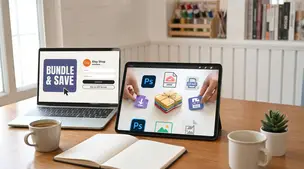
General
How to Bundle Digital Products on Etsy
Learn how to bundle digital products on Etsy to increase order value, boost passive income, improve Etsy SEO, cross-sell templates and grow your shop fast.

I sell digital downloads on Etsy, and I regularly get messages from customers saying they never received an email with their file. In a lot of cases it seems like they checked out as a guest or didn’t create an Etsy account, so they’re not sure where to find their purchase.
Right now I reply with a saved message linking to Etsy’s download instructions, but it still creates confusion and extra support requests. Is there a better way to prevent this and help guest checkout buyers access their digital files more reliably?
Hi! The main thing to know is that Etsy doesn’t always “email the file” the way buyers expect—buyers who checked out as a guest get a download link inside their Etsy receipt email, and buyers who used an account usually download from Purchases & reviews (but they often can’t download from the Etsy app, so they need a web browser). So the best fix is to prevent the confusion up front and then reply with a super-specific “choose your situation” message when it happens.
A few ways to prevent most of these messages (that actually work):
That one file reduces back-and-forth because even if they only manage to open one item, they’ll see the directions.
When someone messages “I didn’t get the email”, send a clearer, decision-tree style reply (instead of a single help-page link). Here’s a template you can save and reuse:
Saved reply (copy/paste):
“Thanks for reaching out! Etsy doesn’t always send the file as an attachment—downloads are accessed a little differently depending on how you checked out:
If you tell me which device you’re on (iPhone/Android/computer) and whether you checked out as a guest, I’ll point you to the exact steps.”
Two extra tips that cut repeat messages:
If you want, paste your current saved message and I’ll rewrite it to be shorter/clearer (and more “guest checkout proof”) while still keeping it Etsy-policy safe.
Related questions
I sell Etsy digital downloads from the UK and an EU buyer wants an invoice with their VAT number. Should I make my own invoice or use Etsy’s receipt?
I’m a new Etsy seller and my “available for deposit” is much lower than my net order amount after two weeks—where can I see what Etsy is withholding and when it’s released?
Related posts
Learn how to bundle digital products on Etsy to increase order value, boost passive income, improve Etsy SEO, cross-sell templates and grow your shop fast.

Protect Etsy digital downloads from theft with smart watermarks, secure file delivery, licenses, DMCA takedowns, and piracy monitoring to safeguard your profits.

Build an email list as an Etsy seller with opt-in landing pages, coupon incentives, and package inserts, while staying fully compliant with Etsy policies.
Etsy image alt text that names materials, size, and key views, replaces Etsy's auto descriptions, and improves accessibility plus Google image search.

Etsy content ideas to turn one listing into 10 posts, from product photos and Reels to Pins, emails, and FAQs, using a simple, repeatable batching workflow.
TikTok for Etsy sellers: 30 practical post prompts with quick hooks, studio shots, making and packing orders, product benefits, CTAs, and hashtags for your shop.