

General
How to Recover a Dead Etsy Listing
Revive dead Etsy listings with smart SEO, renewal timing, fresh photos and keywords that boost traffic, restore visibility and get your shop selling again.

I run an Etsy shop and I created a new listing. About 10 minutes later, I received an email claiming I made a sale, but I didn’t get the usual Etsy notification and there’s no new order showing in my Etsy dashboard.
The message doesn’t appear to be from an official Etsy email address, and it includes a hidden button/link that redirects to another website. How can I confirm whether this is a phishing attempt, and what steps should I take to protect my Etsy account if I clicked anything?
Hi! That almost certainly sounds like a phishing email—if there’s no new order in your Etsy Shop Manager (or on the Etsy Seller app) and you didn’t get the normal Etsy in-app notification, you didn’t actually make a sale, even if an email claims you did.
To confirm it’s phishing (quick checks)
If you clicked the link (what to do next)
If you did NOT enter your Etsy password anywhere:
If you DID enter your Etsy login details (or you’re not sure):
If you downloaded anything or the site asked to “install” a file/extension:
Protect yourself going forward (simple habits that help a lot)
If you tell me whether you entered your password or only clicked the link, I can give you a tighter checklist for your exact situation.
Related questions
My handmade Etsy listing was wrongly deactivated as mass-produced. What does Etsy need to review, and what info should I provide to get it reinstated?
I’m selling a vintage china collection on Etsy and I’m unsure whether to list it as a full set, by place setting, or as individual pieces for shipping and buyer appeal.
I opened an Etsy shop selling watercolor originals/prints but have no sales yet. How do I know if it’s my art or Etsy SEO/listings, and what should I do first?
I repurposed an old Etsy listing by changing everything to a new product. Will this hurt Etsy SEO/search performance, or should I start a new listing?
A larger Etsy shop says my digital downloads are too similar and threatened to report me. My work is original but shares a niche style—what should I do?
I’m getting an error when saving shipping settings on my Etsy listings. What common issues cause this, and what steps can I try to fix it?
Related posts
Revive dead Etsy listings with smart SEO, renewal timing, fresh photos and keywords that boost traffic, restore visibility and get your shop selling again.

Etsy listing template workflow: duplicate a listing, set photos, variations, shipping profiles, and tag placeholders to publish faster, fewer errors in minutes.
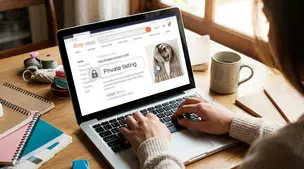
Learn how to create private Etsy custom listings step by step, reserve items for one buyer only, manage custom orders, protect pricing, and boost shop sales.

Discover exactly how many photos your Etsy listing really needs, with winning examples and photo ideas to boost clicks, buyer trust, and sales.

Etsy Pattern setup checklist for About, Contact, FAQ, shipping and returns, plus privacy and terms, so shoppers feel confident before checkout on your site.

Etsy Shop Manager reports show top listings in Stats; filter dates, include sold-out items, then sort by Orders or Revenue to spot best sellers quickly.