

General
How Many Photos Should an Etsy Listing Have?
Discover exactly how many photos your Etsy listing really needs, with winning examples and photo ideas to boost clicks, buyer trust, and sales.

I recently opened an Etsy shop selling digital download map prints focused on towns in New Zealand (minimal-style, printable wall art).
I’m trying to understand whether the shop branding and listings make sense from a buyer’s perspective—especially for someone who hasn’t bought digital downloads before. Is anything unclear or missing that could be lowering trust or making it harder to purchase?
Looking at a typical listing, what are the most important changes I should make early on to improve clicks and conversions (for example: title/keywords, mockups, file details, size options, or the way customization is explained)?
Hi! For digital downloadable map prints, the biggest “trust + conversion” wins usually come from making the listing instantly answer 4 buyer questions: What am I getting (and what am I NOT getting)?, Will it print well at my size?, How do I download/print it?, and What if I need help/customization? If any of those are even slightly unclear, buyers (especially first-timers) tend to bounce or favorite “for later” instead of purchasing.
Here are the most important early changes I’d make to a typical Etsy listing for minimalist NZ town map prints, in order of impact:
A lot of digital-download friction is simply uncertainty. In your title image (and again at the top of the description), be blunt and repetitive in a friendly way:
Also add a quick “You’ll receive: X files in Y formats” line before anything else.
Mockups sell, but digital buyers also want reassurance the file is high-quality and sized correctly.
Your first 3 images should ideally be:
If you can add one more that converts well: a size guide mockup (A4 vs A3 vs 16x20, etc.) so buyers stop guessing.
Digital prints get confusing when sizes are presented as a big list without context. The smoothest approach is to sell by print ratio (because one file can cover multiple sizes), then show common sizes under each ratio.
For example, you can structure it like:
You don’t need every ratio if you’re early—just cover the most common ones your buyers ask for. Whatever you choose, make sure the listing images and description match exactly, and that buyers can tell which option to pick in 5 seconds.
“High resolution” is vague. Buyers trust specifics. Without getting overly technical, include:
If you offer multiple sizes, clarify whether they receive multiple files (one per ratio) or one file (single size). Confusion here is a conversion killer.
A strong Etsy listing title for your product type usually includes:
Town name + “New Zealand” + map/printable/wall art + style + gift intent (optional)
Example pattern:
“[Town] New Zealand Map Print, Minimalist City Map, Printable Wall Art, Digital Download, [style keyword like modern/scandi]”
A mistake I often see: titles that lead with vague branding terms and bury “New Zealand map printable” too late. Put the high-intent search terms earlier.
If you offer personalization (custom coordinates, a special street/heart marker, custom text), spell out:
If it’s truly instant download with no proof, keep it simple: “Choose town name / style, download instantly.”
If you need to create/edit a file, consider a separate custom listing (or a clear “personalized = not instant” note), because mixing “instant download” with “I’ll edit it” can reduce trust.
These don’t feel like “marketing,” they feel like reassurance:
If you want, paste one of your listing descriptions (or your title + tags + the first 3 images described in words), and tell me whether you offer customization or it’s strictly instant download. I’ll suggest specific edits to your title structure, tag themes, and a “what you get” image layout that fits your map prints.
Related questions
I opened a new Etsy shop for handmade potholders and want feedback on photos, branding, and listing SEO (titles, tags, descriptions) to rank in Etsy search.
I run an Etsy shop selling dietitian-made nutrition printables. Sales are slow—are my titles and cover images clear for Etsy SEO, and is this niche viable?
Related posts
Discover exactly how many photos your Etsy listing really needs, with winning examples and photo ideas to boost clicks, buyer trust, and sales.
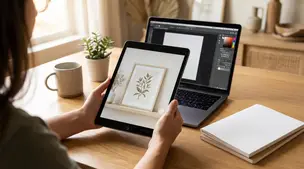
Etsy digital product mockups that boost clicks: choose the right scenes, add clear previews, keep branding consistent, and export Etsy-ready images fast in minutes.
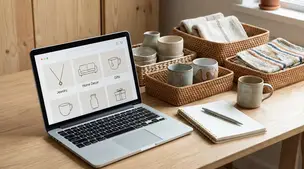
Etsy shop sections help buyers browse faster with ease; set clear section names, sort listings, and highlight bestsellers to reduce clicks and lift conversions.
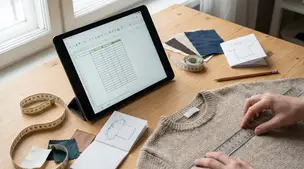
Size guide for Etsy listings with clear measurement tables, photo-ready charts, and examples for apparel and prints to cut buyer sizing questions and returns.
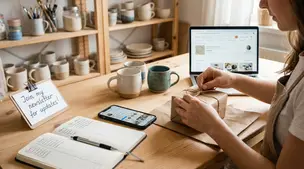
Build an email list as an Etsy seller with opt-in landing pages, coupon incentives, and package inserts, while staying fully compliant with Etsy policies.
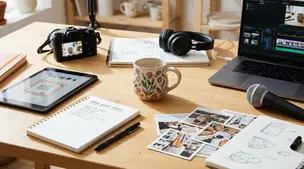
Etsy content ideas to turn one listing into 10 posts, from product photos and Reels to Pins, emails, and FAQs, using a simple, repeatable batching workflow.