
General
How Much Money Can You Make Selling on Etsy?
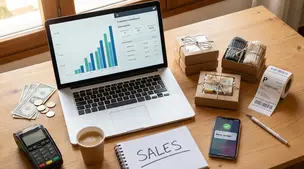
Discover realistic Etsy income ranges, profit margins, fees, and proven tips to boost sales so you can grow your handmade or digital product shop confidently.

I run an Etsy shop selling print-on-demand t-shirts, and my production partner handles shipping (including international orders). Some packages ship with carriers that don’t always sync tracking correctly inside Etsy, so the order ends up showing as “no tracking” even though the shipment has a working tracking number elsewhere.
When that happens, Etsy holds the payout for much longer, which creates a cash-flow problem because I need to pay my supplier quickly so they can start production.
Does Etsy reduce or remove this type of funds reserve as a shop builds more sales history, and what practical options are there to prevent or minimize reserves when tracking isn’t recognized in Etsy?
Hi! Yes—Etsy can reduce the percentage held back or remove a Payment account reserve as your shop builds a stronger track record, but it’s not automatic on a set sales count, and Etsy won’t guarantee a timeline. In practice, the most reliable way to minimize reserve delays is to make sure your Etsy orders show “in transit” with Etsy-recognized tracking (or an Etsy shipping label), because reserves are commonly released sooner once valid tracking is added and the carrier scan shows movement.
Here are the most practical options that usually move the needle:
1) Prioritize Etsy-recognized tracking (even if it costs a bit more)
If your POD partner is using carriers/methods that don’t reliably feed tracking events into Etsy, you’ll keep seeing “no tracking” or tracking that never flips to “in transit.” The fix is usually operational:
If your POD partner can’t provide a consistently recognized tracked method, consider switching partners or upgrading shipping methods for the countries where this happens most.
2) If possible, use Etsy shipping labels or label-equivalents
Buying an Etsy label is the cleanest way to have tracking recognized inside Etsy. Many POD workflows don’t allow this, but it’s worth asking your partner directly: “Can I provide the shipping label (or have you use an Etsy-purchased label)?” Some fulfillment providers will do it; many won’t.
3) Make sure tracking is added correctly (format + carrier)
When you complete an order manually, choose the correct carrier (when available) and paste the tracking number exactly as issued. If your partner is sending you a tracking link or an internal reference number, that won’t help—Etsy needs the actual carrier tracking number in a format it can validate.
4) Reduce the risk signals that keep reserves around
Etsy reviews reserves based on risk/performance factors, so you want your shop to look predictable:
5) Use Etsy’s reserve details panel to plan cash flow
In your Payment account, Etsy now shows which funds are “In reserve” and (often) gives a “what this means” / detail view that includes when they expect to reevaluate your reserve and what actions can release funds sooner. That helps you forecast when cash will actually hit your deposit schedule.
If you tell me which POD provider you’re using and what carriers/service levels are causing the “no tracking” status (especially for international), I can suggest the most common carrier upgrades that usually start syncing properly with Etsy.
Related questions
I’m an Etsy seller dealing with a 1-star “item not received” review even though tracking shows delivered. How should I follow up and protect my shop?
I’m a new Etsy seller and unsure if I should keep spending $5/day on Etsy Ads or focus on improving my listings and Etsy SEO to grow sales.
I sell digital downloads on Etsy and a buyer paid $6 for a $5 item, but the tax line is $0. What else could cause this, and can buyers add extra at checkout?
I shipped an Etsy international order via USPS, but tracking has been stuck for weeks after acceptance. What can I do, and when should I refund or replace?
I sell digital art prints on Etsy and want to add handmade clay items. Will mixing digital downloads and physical products hurt my shop focus or Etsy SEO?
I sell crochet plushies on Etsy using a designer’s patterns. I combined and tweaked two patterns—does this violate a no-mods rule, and how should I credit them?
Related posts
Discover realistic Etsy income ranges, profit margins, fees, and proven tips to boost sales so you can grow your handmade or digital product shop confidently.

Learn how to break even faster on Etsy with smart pricing, fee-cutting tactics, bestseller research, SEO-powered listings, and affordable Etsy Ads strategies.

Discover why selling on Etsy boosts your handmade brand visibility, low startup costs, built-in traffic, loyal buyers, and flexible, low-risk income.

Discover exactly what you can sell on Etsy—from handmade crafts and digital downloads to vintage treasures and craft supplies—and start growing a joyful shop today.

Learn how to bundle digital products on Etsy to increase order value, boost passive income, improve Etsy SEO, cross-sell templates and grow your shop fast.

Pinterest for Etsy sellers: a simple weekly pin schedule with fresh content, keyworded boards, seasonal timing, and tracking to grow clicks without burnout.