

General
Etsy Featured Listings: How to Curate Your Shop Homepage
Etsy featured listings help spotlight bestsellers on your Shop Home; pick 4 (or sections), order them for cohesive photos, and rotate a queued set for seasons.

I’m trying to update my Etsy shop name, but I can’t find the option in the Etsy Seller app on my phone. I’m not sure if this is a desktop-only setting or if it’s just hidden in the mobile menus.
Can shop names only be changed on desktop, and if not, where do I change it on mobile?
Hi! You’re not missing it — the Etsy Seller app usually doesn’t include the control to rename your shop. To change your Etsy shop name, you’ll want to use Etsy in a web browser (desktop is easiest, but you can also do it on your phone’s browser).
On desktop (recommended):
On mobile (phone/tablet):
A couple quick notes so you’re not surprised: your shop URL updates to match the new name (old links should redirect), and Etsy may show a “recently changed” indicator by your shop name for a bit after you rename. If you tell me whether you’re on iPhone or Android, I can point you to the exact “Desktop Site” toggle for your browser.
Related questions
I sell digital downloads on Etsy and a buyer paid $6 for a $5 item, but the tax line is $0. What else could cause this, and can buyers add extra at checkout?
I shipped an Etsy international order via USPS, but tracking has been stuck for weeks after acceptance. What can I do, and when should I refund or replace?
My Etsy order tracking shows delivered, but the buyer says it wasn’t received. What should I do next to handle a refund, replacement, or claim?
I run an Etsy shop and a buyer wants a refund after the order shipped because they found a cheaper option. What’s the standard Etsy approach?
I’m a newer Etsy seller setting up a home photo area and want a clean, reusable backdrop (about 24x24) for home decor and hats.
I canceled an Etsy order and the buyer is sending abusive, threatening messages. How do I report them to Etsy and stop further contact?
Related posts
Etsy featured listings help spotlight bestsellers on your Shop Home; pick 4 (or sections), order them for cohesive photos, and rotate a queued set for seasons.

Selling jewelry on Etsy: List exact metals, flag nickel sensitivity, and support hypoallergenic wording with supplier docs or testing to reduce buyer issues.

Etsy Materials and Occasion fields can boost visibility when chosen for buyer filters; match category, avoid guesswork, and align tags with real intent.

Happy Etsy SEO tips for sellers: master keywords, titles, tags, photos, reviews, free shipping, and conversions to rank higher in Etsy search and boost sales.
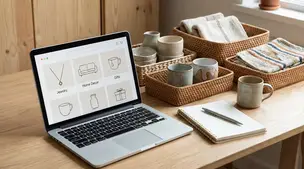
Etsy shop sections help buyers browse faster with ease; set clear section names, sort listings, and highlight bestsellers to reduce clicks and lift conversions.

Product spec sheets for Etsy items record SKUs, materials, measurements, photos, packaging, and QC checkpoints so reorders reliably match what customers expect.