
General
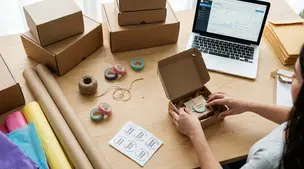
Best Packaging Supplies for Etsy Sellers
Discover budget-friendly, eco-friendly Etsy packaging supplies—cute mailers, custom boxes, tissue, stickers, and inserts that protect products and delight buyers.

I’m a new Etsy seller in the UK and my shop has been stuck on the verification/approval step for over a month. I received an email shortly after opening that said my ID check was successful, but my shop dashboard still shows a message to wait 48 hours for verification.
What’s the most direct way to reach Etsy Support from the UK and get a real update on why my shop isn’t being approved, and what steps should I take to resolve it?
Hi! The most direct (and safest) way to reach Etsy Support from the UK is through your signed-in Etsy account using the “Contact support” button in the Etsy Help Centre—Etsy doesn’t offer a public phone number you can call, and any “UK Etsy phone number” you find on Google is often a scam. Once you go through the Contact Support flow, Etsy will offer the available contact method for your account (typically email, and sometimes chat or a requested callback).
Here’s what I’d do, in order, to get a real status update and push this along:
1) Open a Support request the “official” way
Tip: If you already opened a case/ticket, try to reply to that same support email/thread rather than starting multiple new requests—multiple tickets can slow things down because your issue gets split across requests.
2) Check for a “hidden” action Etsy still needs from you (very common)
Even if the ID email said “successful,” shops can stay stuck if something else doesn’t match or is incomplete. In Shop Manager, carefully check:
3) Look for Etsy messages you might’ve missed
4) Do a quick technical reset (sounds basic, but it helps)
What to say to Support (copy/paste friendly)
“Hi Etsy Support—my UK shop has been stuck on the verification step for over a month. I received an email on [date] confirming my ID check was successful, but Shop Manager still says to wait 48 hours. Please confirm whether anything is still pending on my account (seller info, payment settings, or additional verification) and whether my shop needs a manual review/status refresh.”
If you tell me whether you’re set up as a sole trader or Ltd, and whether you’re seeing any banners in Shop Manager → Finances / Payment settings, I can suggest the most likely “missing piece” to check next.
Related questions
I’m in the UK and preparing to open an Etsy shop selling handmade greeting cards. What UK-specific shop settings and policies should I set up first?
I sell small resin keyrings on Etsy in the UK and my packaging makes them a large letter. What’s the most cost-effective shipping and pricing so I don’t lose money?
I run an Etsy shop in the UK and my Royal Mail international parcels are delayed. Should I switch to tracked shipping or use an alternative carrier?
I’m trying to open an Etsy shop but I can’t complete bank verification because I can’t access my online banking to view the test transaction code.
I sell physical products on Etsy and buyers worry about customs/VAT or carrier fees. Should I repeat import duty info in listing photos, and how?
I’m a Canada-based Etsy seller switching from Canada Post to Chit Chats and need help setting flat Etsy shipping rates for Canada, U.S., and international orders without undercharging.
Related posts
Discover budget-friendly, eco-friendly Etsy packaging supplies—cute mailers, custom boxes, tissue, stickers, and inserts that protect products and delight buyers.

Discover if free shipping on Etsy fits your handmade shop, weighing search boost, conversion rates, profit margins, product pricing, and buyer expectations.

Corporate gifting for Etsy sellers: MOQs, bulk pricing tiers, logo personalization, production timelines, and multi-address shipping for HR and event teams.

Happy Etsy SEO tips for sellers: master keywords, titles, tags, photos, reviews, free shipping, and conversions to rank higher in Etsy search and boost sales.

Product spec sheets for Etsy items record SKUs, materials, measurements, photos, packaging, and QC checkpoints so reorders reliably match what customers expect.

Notion for Etsy sellers: organize tasks, listing tweaks and notes in one place, with database views for today and this week plus an ideas inbox, at a glance.