

General
Psychological Pricing Strategies for Etsy
Boost Etsy sales with joyful psychological pricing tips—charm prices, anchoring, bundles, urgency and value cues tailored to handmade, digital and craft shops.

I’m new to Etsy and I sell digital products, mainly spreadsheet-based templates. I’ve only launched a couple of listings so far because building and testing the files takes time, and I’m learning as I go.
I’d like to connect with other Etsy sellers who focus on spreadsheets or digital templates so I can compare notes and get feedback. Where can I find active communities or groups for this niche, and what’s the best way to get guidance on pricing and improving how my listings are presented?
Hi! The fastest way to meet other digital template sellers (including spreadsheet folks) is inside Etsy’s own Community Hub—join a few digital-download focused Etsy Teams and post in the Digital Goods area asking specifically for “spreadsheet template sellers” or “Google Sheets/Excel template” feedback—then supplement that with niche-friendly spaces like Reddit communities for Etsy sellers and digital download sellers, plus a couple of active Facebook groups for Etsy digital product sellers.
Where to find active communities for your niche
How to get useful guidance (pricing + listing presentation) without spinning your wheels
If you want feedback that actually helps, don’t ask “Any tips?”—post with specifics. Here’s a simple way to do it:
A few practical pricing and presentation ideas that work well for spreadsheet templates
If you tell me what kind of spreadsheet templates you sell (budgeting, trackers, business dashboards, wedding planning, etc.) and whether they’re for Excel or Google Sheets, I can suggest the best keywords to search inside Etsy Teams/Facebook—and a quick pricing comparison method for your exact niche.
Related questions
I sell digital downloads on Etsy and a buyer paid $6 for a $5 item, but the tax line is $0. What else could cause this, and can buyers add extra at checkout?
I shipped an Etsy international order via USPS, but tracking has been stuck for weeks after acceptance. What can I do, and when should I refund or replace?
My Etsy order tracking shows delivered, but the buyer says it wasn’t received. What should I do next to handle a refund, replacement, or claim?
I run an Etsy shop and a buyer wants a refund after the order shipped because they found a cheaper option. What’s the standard Etsy approach?
I sell tree seedlings on Etsy and need affordable 6 x 6 x 30 inch tall shipping boxes to keep plants upright; where can I source them and cut per-box cost?
I’m trying to choose an AI image tool for consistent, on-brand email marketing header illustrations and compare it vs stock imagery with A/B tests.
Related posts
Boost Etsy sales with joyful psychological pricing tips—charm prices, anchoring, bundles, urgency and value cues tailored to handmade, digital and craft shops.

Streamline batch shipping on Etsy with a simple system that saves time, cuts postage costs, automates labels, and boosts order accuracy for happy repeat buyers.

Happy Etsy SEO tips for sellers: master keywords, titles, tags, photos, reviews, free shipping, and conversions to rank higher in Etsy search and boost sales.

Discover how long it really takes to make money on Etsy, with realistic timelines, proven shop-setup tips, SEO keywords, and fast first-sale strategies.
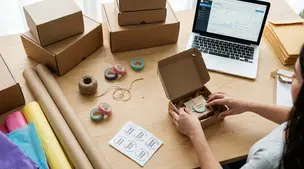
Discover budget-friendly, eco-friendly Etsy packaging supplies—cute mailers, custom boxes, tissue, stickers, and inserts that protect products and delight buyers.

Holiday shipping deadlines guide for Etsy sellers with USPS, UPS, FedEx cutoff dates, processing times, packaging tips, and planning strategies to avoid late deliveries.