

General
Why Some Etsy Reviews Don’t Show Up
Discover why Etsy reviews sometimes don’t appear, from eligibility windows and policy removals to technical glitches, missing orders, and filtered star ratings.

I sell digital Canva templates on Etsy, and I received a 1-star review from a buyer who says they had to pay for Canva to use the template. From what I can tell, they just followed the access steps incorrectly, and they never messaged me for help before leaving the review.
What’s the best way to respond or resolve this on Etsy—should I message the customer, post a public reply, or try to get the review removed?
Hi! I’d message the buyer first (privately) and hold off on a public reply for now—because once you post a public response on Etsy, the buyer usually can’t edit their review anymore, even if you later delete your response. Your best shot at getting that 1-star changed is friendly, solution-focused help in Messages.
Here’s the approach I’d take:
Keep it short, calm, and assume confusion (not blame). Your goal is to (a) get them into the template correctly and (b) give them an easy “win” so they’re willing to update the review.
You can send something like:
If you did accidentally include any Pro fonts/elements, it’s usually better to own it quickly and offer a fix (or replacement file) rather than argue.
Etsy will only remove reviews that violate their review policies. A “had to pay for Canva” complaint often won’t be removed because Etsy generally doesn’t judge who’s “right” in a product dispute. The one exception that sometimes applies: if the review is solely about a third party (like Canva) and not about your item/service. If the review is basically “Canva made me pay” with no commentary about you/your listing, you can report it—but go in expecting Etsy may still leave it up.
If they don’t respond (or won’t change it), then a public response can help future shoppers. Keep it neutral, no defensiveness, and don’t include private info.
Example public reply:
“Thanks for your feedback—sorry for the confusion. This is a Canva template and it’s designed to work with a free Canva account. If Canva ever prompts for an upgrade, it usually means a Pro element/font was clicked or the template wasn’t opened via the included access link. I’m happy to help—please message me and I’ll get you set up.”
To reduce more reviews like this, add a very clear note in your Etsy listing (and your PDF instructions) like:
If you want, paste what the buyer wrote in the review (exact wording) and I’ll tell you whether it’s likely to qualify as “third-party only,” and I can rewrite your private message + public reply to fit your shop’s tone.
Related questions
I got my first negative Etsy review on a POD t-shirt’s quality and feel. Should I refund, replace, or discount, and update my listing or shirt blank?
I run an Etsy shop and got a 4-star Etsy review with glowing comments. Should I message the buyer for feedback or leave it alone?
I sell vintage collectibles on Etsy, and a buyer left a 5-star review but mentioned a disclosed chip. Should I reply publicly or leave it?
I’m an artist and want to hire someone to manage my Etsy listings, SEO, ads, and messages for a commission. What’s the safest setup to protect my account?
I send opt-in email marketing from multiple subdomains. If a Gmail recipient unsubscribes from one, should I suppress them across all subdomains for compliance and deliverability?
I have a new Etsy jewelry shop getting clicks from Etsy Ads but no orders yet. Should I keep spending, and should I split sizes into separate listings?
Related posts
Discover why Etsy reviews sometimes don’t appear, from eligibility windows and policy removals to technical glitches, missing orders, and filtered star ratings.

Discover how more Etsy reviews boost buyer trust, improve your shop’s SEO, increase conversion rates, and drive consistent sales growth for your listings.

Revive dead Etsy listings with smart SEO, renewal timing, fresh photos and keywords that boost traffic, restore visibility and get your shop selling again.
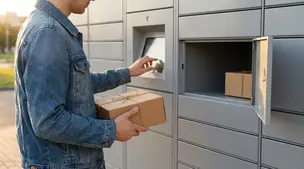
Discover how to ship Etsy orders via parcel lockers and drop-off points using USPS, UPS Access Points, Evri, InPost and more for secure, flexible delivery.

Streamline batch shipping on Etsy with a simple system that saves time, cuts postage costs, automates labels, and boosts order accuracy for happy repeat buyers.

Holiday shipping deadlines guide for Etsy sellers with USPS, UPS, FedEx cutoff dates, processing times, packaging tips, and planning strategies to avoid late deliveries.