
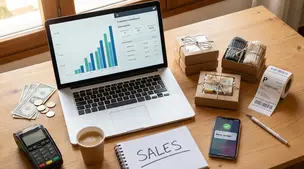
General
How Much Money Can You Make Selling on Etsy?
Discover realistic Etsy income ranges, profit margins, fees, and proven tips to boost sales so you can grow your handmade or digital product shop confidently.

I sell products on Etsy and had a buyer open a complaint saying the item wasn’t what they expected, even though the listing description explained what was included. Etsy ended up issuing a refund from my account.
Now I’m also seeing an additional charge of about $40 labeled as a refund-related fee, on top of the refund amount itself. What could that extra fee be (for example, shipping label costs, transaction/payment processing fees, taxes, or a case fee), and how can I verify whether Etsy charged it correctly?
Hi! On Etsy, that “extra” ~$40 after a case/refund is usually not a mystery “refund penalty” — it’s most often one of these things showing up as a separate line item in your Payment account: (1) a shipping label cost (or a carrier price adjustment) that isn’t automatically undone when an order is refunded, (2) fees that weren’t credited back to you because Etsy (not you) issued/covered the refund under a case / Purchase Protection scenario, or (3) the refund hitting your card on file because your Payment account balance couldn’t cover it, which can look like an additional charge if you’re comparing the wrong rows.
Here are the most common causes and how to confirm each one quickly:
1) Shipping label charge or a carrier “adjustment” (very common for ~$10–$50+)
2) Etsy case refund where Etsy doesn’t return certain seller fees (often misunderstood as an “extra fee”)
When Etsy issues a refund from your account due to a case, you’ll see the refund debit, but you may not see the usual fee credits you expected (payment processing, transaction fee, Offsite Ads fee, etc.) depending on how the refund was handled/covered. That can make it feel like Etsy charged you “extra,” when it’s really fees you didn’t get back rather than a brand-new fee.
How to verify: Open your Monthly statement for that month and compare:
3) “Refund charged to card on file” because your Payment account didn’t have enough funds
If your Etsy Payment account balance was low/negative, Etsy can charge your payment method on file for all or part of the refund. That can look like a separate charge next to the refund in your ledger.
How to verify: In Payment account → Activity, open the refund entry and look for wording that indicates it was covered by your credit card/bank (or check your payout/statement timing—often the “extra” aligns with the shortfall amount).
4) Taxes (usually not the culprit for a separate $40 charge)
Sales tax that Etsy collected/remitted is typically handled by Etsy and usually appears as tax-related entries, not as a random “refund fee.” It’s less common for this to be the standalone ~$40 “fee” you’re describing, but you can still confirm via the itemized statement lines for tax.
If you tell me the exact wording of that $40 line (for example: “USPS adjustment,” “shipping label,” “fee,” “Etsy refunded on your behalf,” etc.), I can help you pinpoint which bucket it’s in and what you should expect to see in your Etsy statements.
Related questions
I’m an Etsy seller dealing with a 1-star “item not received” review even though tracking shows delivered. How should I follow up and protect my shop?
I’m a new Etsy seller and unsure if I should keep spending $5/day on Etsy Ads or focus on improving my listings and Etsy SEO to grow sales.
I sell digital downloads on Etsy and a buyer paid $6 for a $5 item, but the tax line is $0. What else could cause this, and can buyers add extra at checkout?
I shipped an Etsy international order via USPS, but tracking has been stuck for weeks after acceptance. What can I do, and when should I refund or replace?
I turned off Etsy Ads and my digital listings dropped to almost zero views and visits. Is this normal, and how can I rebuild consistent organic traffic?
I apply saved shipping profiles to new Etsy listings, but they later switch to “Custom.” What causes this and how can I stop it on new listings?
Related posts
Discover realistic Etsy income ranges, profit margins, fees, and proven tips to boost sales so you can grow your handmade or digital product shop confidently.

Learn how to break even faster on Etsy with smart pricing, fee-cutting tactics, bestseller research, SEO-powered listings, and affordable Etsy Ads strategies.

Discover why selling on Etsy boosts your handmade brand visibility, low startup costs, built-in traffic, loyal buyers, and flexible, low-risk income.

Discover exactly what you can sell on Etsy—from handmade crafts and digital downloads to vintage treasures and craft supplies—and start growing a joyful shop today.
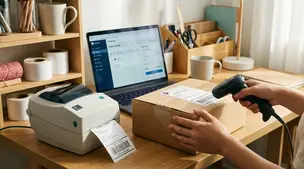
Barcodes and labels streamline picking, packing, and shipping for Etsy orders with simple SKU setup, scanner tips, label printers, and error-proof workflows.

Pinterest for Etsy sellers: a simple weekly pin schedule with fresh content, keyworded boards, seasonal timing, and tracking to grow clicks without burnout.