

General
Why Your Etsy Listings Get Views but No Sales
Turn your Etsy views into steady sales with better keywords, pricing, photos, and conversion-focused listing tweaks that build trust and boost shop revenue.

I run an Etsy shop where I normally keep all my listings set to manual renewal so I can control when they renew. Today I checked my listing expirations and noticed every listing is now set to auto-renew.
What could cause Etsy to change listing renewal settings across my shop, and how can I switch everything back to manual renewal and prevent it from happening again?
Hi! The usual reason this happens is that Etsy treats Automatic renewal as the default, and one action (often a bulk edit, renewing a listing, or publishing/copying listings) can accidentally apply “Automatic” to a bunch of listings at once. It’s also possible someone/something else made the change (a Shop Member, a connected listing tool/app, or a compromised login), but most of the time it’s an in-dashboard change that got applied more widely than intended.
To switch everything back to manual renewal (fastest way)
What commonly causes the “everything flipped to auto-renew”
How to prevent it from happening again
If you tell me whether you recently (1) renewed a bunch of listings, (2) copied/created new listings in bulk, (3) used any external listing tool, or (4) have Shop Members, I can help you narrow down the most likely trigger.
Related questions
I sell on Etsy and want to know where most shoppers discover listings in 2026—Etsy app/search or Google—so I can focus my Etsy SEO and marketing.
I sell handmade baby knitwear on Etsy and I’m listing a cardigan with animal appliqué and optional name embroidery—should I use separate listings or variations for better Etsy SEO?
I sell handmade items on Etsy and made-to-order listings stress me out when they sell. Should I pause them, switch to ready-to-ship, or adjust policies?
I have Etsy automatic renewal on, but my made-to-order listings still show sold out. Should renewal restore quantity after sales, or is a setting wrong?
I run an Etsy shop and need to verify or change the bank account for Etsy Payments deposits, but I don’t remember which bank is linked.
I run an Etsy shop in the EU and ship to the US—do I need to hand-sign and date the customs declaration on Etsy labels, or is digital OK?
Related posts
Turn your Etsy views into steady sales with better keywords, pricing, photos, and conversion-focused listing tweaks that build trust and boost shop revenue.
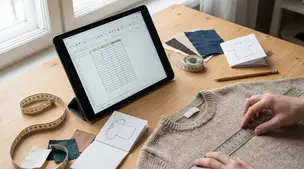
Size guide for Etsy listings with clear measurement tables, photo-ready charts, and examples for apparel and prints to cut buyer sizing questions and returns.

Etsy FAQ images that answer shipping, sizing, and customization upfront, with readable mobile-friendly design, order, and wording tips to cut repeat messages.

Etsy SKU numbers made simple: add them in Inventory and Pricing, set SKUs for variations, and pick a clear 4-8 character system to track stock fast every day.

California Prop 65 for Etsy sellers: when warnings apply, which materials commonly trigger them, and where to place a clear-and-reasonable notice online.

Product spec sheets for Etsy items record SKUs, materials, measurements, photos, packaging, and QC checkpoints so reorders reliably match what customers expect.