

General
How Etsy Payments Work for Sellers
Discover how Etsy Payments pays sellers—payout schedules, payment methods, fees, taxes, deposits, and tips to keep your handmade shop cash flow happy.

I run an Etsy shop and need to verify or change the bank account used for Etsy Payments deposits. The bank details were added a long time ago, and I don’t remember which bank I originally linked.
Is there a way in Etsy to identify which bank account is currently connected (at least the bank name or last digits), and what’s the safest way to update it if I can’t tell which bank it is?
Hi! Yes—Etsy will usually show you at least the last few digits of the bank account that’s currently linked, but it often won’t show the full bank name/full account number for security.
To check what’s linked right now (and see the last digits):
If you still can’t tell which bank it is, the safest way to identify it is to match it from the “real world” side:
If you need to update the bank account:
A couple important “safe” notes before you change anything:
If Etsy won’t let you update because it requires confirming the old account details and you truly can’t identify them, your best move is to pause deposits/sales if needed (so money doesn’t keep flowing to an unknown account) and contact Etsy Support through the help options inside your account—this is one of those cases where they may need to assist with account verification steps.
Related questions
I run an Etsy print-on-demand shop with Printify and I’m unsure if I report Etsy payouts as gross income and deduct Printify/Etsy fees, or only net profit for taxes.
I’m trying to reopen my Etsy shop, but a confirmed Etsy Payments backend bug is blocking it. How can I politely escalate and get a status update?
I’m a new Etsy seller using Payoneer and I’m wondering how long my first payout takes, and what setup or verification can prevent delays.
I’m opening an Etsy shop in Ireland and want to know how Etsy shipping works—whether buyers pay at checkout or I include postage, and how to set rates.
In my Etsy shop, a shopper favorited hundreds of listings quickly and then their profile disappeared. What could cause this on Etsy, and what should I do?
I run two Etsy shops selling digital poster downloads and want to add needlepoint charts (and possibly canvas). Should I add them or open a new Etsy shop?
Related posts
Discover how Etsy Payments pays sellers—payout schedules, payment methods, fees, taxes, deposits, and tips to keep your handmade shop cash flow happy.
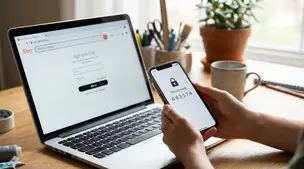
Etsy two-factor authentication setup: steps for web and Seller app, choosing SMS, phone, or authenticator app, plus backup codes and common sign-in fixes.

Etsy About section essentials: add your story, process photos or video, team details, links, and clear policies so shoppers feel confident buying from you.

Etsy Shop Manager reports show top listings in Stats; filter dates, include sold-out items, then sort by Orders or Revenue to spot best sellers quickly.
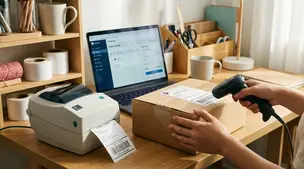
Barcodes and labels streamline picking, packing, and shipping for Etsy orders with simple SKU setup, scanner tips, label printers, and error-proof workflows.
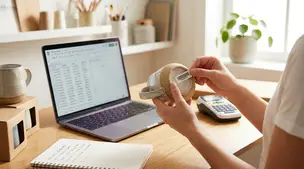
Etsy SKU numbers made simple: add them in Inventory and Pricing, set SKUs for variations, and pick a clear 4-8 character system to track stock fast every day.