

General
Etsy Featured Listings: How to Curate Your Shop Homepage
Etsy featured listings help spotlight bestsellers on your Shop Home; pick 4 (or sections), order them for cohesive photos, and rotate a queued set for seasons.

I just received my first order on Etsy, and I also got a notification asking me to “Verify your info.” When I click the “Verify your info” button, nothing happens.
I’ve tried multiple browsers and devices, but it still won’t open the verification page. What should I check, and how can I complete the verification so my order and payouts aren’t delayed?
Hi! This usually happens because Etsy’s verification flow is opening in a blocked pop‑up/embedded window (or it’s a stale “deep link” from a notification), so clicking “Verify your info” appears to do nothing. The quickest workaround is to skip the button and go straight to the verification area inside Shop Manager on Etsy.com, then complete identity/bank verification from there.
First, try completing verification directly (don’t use the notification button):
If nothing will open, these fixes solve most “button does nothing” cases:
A couple important “don’t get delayed” notes:
If you still can’t get the verification page to launch after the steps above, the best next move is to contact Etsy Support from the Help area while logged in and tell them: “Shop Manager verification link/button does nothing on multiple browsers/devices.” Ask them to reset/resend the verification session or check for an account-level block—this is one of those issues that sometimes needs a backend reset.
If you tell me whether you’re being asked to verify identity, bank, or taxpayer info (and whether you’re on iPhone/Safari/Brave/etc.), I can narrow it down to the exact setting that’s most likely blocking it.
Related questions
I sell digital downloads on Etsy and a buyer paid $6 for a $5 item, but the tax line is $0. What else could cause this, and can buyers add extra at checkout?
I shipped an Etsy international order via USPS, but tracking has been stuck for weeks after acceptance. What can I do, and when should I refund or replace?
My Etsy order tracking shows delivered, but the buyer says it wasn’t received. What should I do next to handle a refund, replacement, or claim?
I’m a newer Etsy seller shipping by the ship-by date, but my order shows “may arrive late.” What triggers it, and should I change processing or shipping settings?
I run an Etsy shop selling digital art, and Instagram isn’t bringing traction. What are the best ways to advertise Etsy digital products, and where should I focus my time and budget?
Related posts
Etsy featured listings help spotlight bestsellers on your Shop Home; pick 4 (or sections), order them for cohesive photos, and rotate a queued set for seasons.

Selling jewelry on Etsy: List exact metals, flag nickel sensitivity, and support hypoallergenic wording with supplier docs or testing to reduce buyer issues.

Etsy Materials and Occasion fields can boost visibility when chosen for buyer filters; match category, avoid guesswork, and align tags with real intent.

Happy Etsy SEO tips for sellers: master keywords, titles, tags, photos, reviews, free shipping, and conversions to rank higher in Etsy search and boost sales.
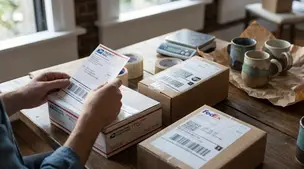
Compare USPS, UPS, and FedEx for Etsy shipping to find the cheapest, fastest, and most reliable carrier for your package size, delivery speed, and destination.

Product spec sheets for Etsy items record SKUs, materials, measurements, photos, packaging, and QC checkpoints so reorders reliably match what customers expect.