

General
How to Recover a Dead Etsy Listing
Revive dead Etsy listings with smart SEO, renewal timing, fresh photos and keywords that boost traffic, restore visibility and get your shop selling again.

I got a notification saying Etsy chose one of my listings to feature, but I can’t tell which item it was or where it’s being displayed.
Where in Shop Manager (or the Etsy app) can I see which listing was featured, what placement it’s in (homepage, search, emails, etc.), and whether it’s still active?
Hi! Unfortunately, Etsy doesn’t give sellers a reliable “feature details” screen that shows which Etsy listing was featured, exact placement (homepage vs email vs search module), or how long it will run—most of those merchandising placements are not visible in Shop Manager, and that push notification is often vague (and sometimes even delayed).
Here’s what you can do to figure it out as closely as possible:
Look for a badge on the listing (some “features” show as a badge)
Open your listings and check whether any have a visible badge like “Etsy’s Pick” (shown to shoppers in some places like search/listing pages). If your notification was about a badge-type selection, this is the clearest way to identify the item.
Use Stats to infer which listing got extra exposure (best workaround)
In Shop Manager → Stats, switch your date range to Today / Last 7 days, then:
If you tell me what the notification wording said (just the text—no screenshots with personal info), I can help you narrow down whether it sounds like an Etsy’s Pick badge, an Etsy marketing email, or a more generic “Etsy feature” message.
Related questions
I got an email claiming an Etsy sale, but there’s no order or notification. How can I confirm it’s phishing and protect my Etsy account if I clicked?
I sell posters on Etsy and want one listing with design variants and a bundle option so buyers can choose multiple posters in one purchase.
I’m starting an Etsy shop with small-batch items that vary by batch, and I’m deciding whether to make new listings per batch or use one listing with variations.
My handmade Etsy listing was wrongly deactivated as mass-produced. What does Etsy need to review, and what info should I provide to get it reinstated?
I’m trying to connect my Etsy shop to an existing QuickBooks account, but the sign-in/linking step keeps failing with an error. What should I check?
I’ve gotten my first 5-star reviews for original paintings on Etsy and want to keep momentum by improving listings and getting consistent sales.
Related posts
Revive dead Etsy listings with smart SEO, renewal timing, fresh photos and keywords that boost traffic, restore visibility and get your shop selling again.

Etsy listing template workflow: duplicate a listing, set photos, variations, shipping profiles, and tag placeholders to publish faster, fewer errors in minutes.

Learn how to create private Etsy custom listings step by step, reserve items for one buyer only, manage custom orders, protect pricing, and boost shop sales.

Discover exactly how many photos your Etsy listing really needs, with winning examples and photo ideas to boost clicks, buyer trust, and sales.
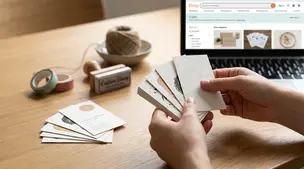
Business cards for Etsy sellers: smart basics like shop link or QR code, logo, and socials, with cardstock tips and pitfalls like clutter and pushy review asks.

Product spec sheets for Etsy items record SKUs, materials, measurements, photos, packaging, and QC checkpoints so reorders reliably match what customers expect.