
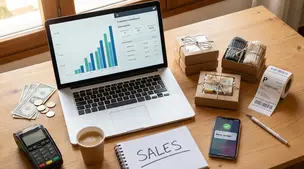
General
How Much Money Can You Make Selling on Etsy?
Discover realistic Etsy income ranges, profit margins, fees, and proven tips to boost sales so you can grow your handmade or digital product shop confidently.

I run an Etsy shop and my account shows an amount due (an outstanding balance) that I need to pay. I’m not sure where to go in Shop Manager to pay it or whether Etsy will take it from my payment account automatically.
How can I pay an overdue Etsy balance, and what payment methods does Etsy accept for settling it?
Hi! To pay an overdue Etsy balance, go to Shop Manager → Finances → Payment account. At the top you should see “Amount due” and a “Pay now” button—click that to settle the outstanding balance right away.
If you’re wondering whether Etsy will take it automatically: usually Etsy uses auto-billing and charges the card you have on file (often around the 1st of the month) for any amount due. If your card failed or expired, Etsy may show the balance as overdue and you’ll need to update your billing card and then manually click “Pay now” in the Payment account.
Payment methods Etsy accepts to pay your seller bill / outstanding balance
If you don’t see a “Pay now” button but you still show an amount due, try this quick check: Shop Manager → Finances → Payment settings and confirm you have a valid card on file (then go back to Payment account). If your shop is restricted/suspended and you can’t access the normal screens, paying the overdue amount (once you can get to the Payment account) is typically what restores access.
Related questions
I run an Etsy shop and the Help Center sends me back to sign-in when I click “Contact Support,” so I can’t chat or submit a request. How can I fix it?
I’m considering opening an Etsy shop for wall art and posters and want to know if demand is still strong or if the market is too saturated for new listings.
I sell physical products on Etsy and a buyer says an item arrived damaged and wants a refund. Can I offer a replacement instead, and how do I propose it without a dispute?
I use fixed U.S. shipping rates on Etsy, but Hawaii shipping costs more. How can I set a separate rate or workaround to avoid losses?
I sell postcards on Etsy and ship in standard envelopes; a nearby order is stuck in transit for weeks. Should I replace, refund, or set expectations for untracked mail delays?
Related posts
Discover realistic Etsy income ranges, profit margins, fees, and proven tips to boost sales so you can grow your handmade or digital product shop confidently.

Learn how to break even faster on Etsy with smart pricing, fee-cutting tactics, bestseller research, SEO-powered listings, and affordable Etsy Ads strategies.

Discover why selling on Etsy boosts your handmade brand visibility, low startup costs, built-in traffic, loyal buyers, and flexible, low-risk income.

Discover exactly what you can sell on Etsy—from handmade crafts and digital downloads to vintage treasures and craft supplies—and start growing a joyful shop today.
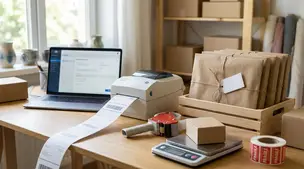
Streamline batch shipping on Etsy with a simple system that saves time, cuts postage costs, automates labels, and boosts order accuracy for happy repeat buyers.

Etsy content ideas to turn one listing into 10 posts, from product photos and Reels to Pins, emails, and FAQs, using a simple, repeatable batching workflow.