

General
How Long Does It Take to Make Money on Etsy?
Discover how long it really takes to make money on Etsy, with realistic timelines, proven shop-setup tips, SEO keywords, and fast first-sale strategies.

I run an established Etsy shop selling made-to-order items, and I have an upcoming surgery that will limit how much I can work for about a week afterward.
I’m trying to decide whether to put my shop in Vacation Mode for 1–2 weeks or keep the shop open and temporarily extend my processing times (for example, from about one week to a few weeks) and use an auto-reply for messages. I’ve heard Vacation Mode can hurt search visibility, but I’m not sure how significant that is compared with longer lead times.
Which option is usually better for protecting search performance while also avoiding late shipments, and if I extend processing times, should I proactively message new buyers to confirm they noticed the longer processing window?
Hi! For a planned 1–2 week medical recovery, the “best” choice usually comes down to one thing: can you reliably meet the new ship-by dates without pushing yourself? If the honest answer is “maybe” (or you won’t be able to work at all for that week), Vacation Mode is the safest option for avoiding late shipments and unhappy buyers—even though you’ll temporarily disappear from Etsy search while it’s on. If you can still fulfill orders (just slower), keeping the shop open and extending processing times is typically better for maintaining momentum because your listings can keep showing and selling, but you’ll likely see fewer conversions simply because longer delivery estimates turn some shoppers away.
A practical way to decide:
If you extend processing times, I do recommend a short proactive message to new buyers—not because they “didn’t notice,” but because it prevents misunderstandings and reduces “when will this ship?” messages. Keep it simple and confident, and restate the ship-by window they’re expecting.
Here’s a safe message you can copy/paste after each new order:
“Thanks so much for your order! Just a quick heads-up: this is made to order, and my current processing time is [X] before shipping. Your order is on track to ship by approximately [date range]. If you need it by a specific date, reply here ASAP and I’ll tell you what’s possible.”
A couple extra tips that help a lot during recovery:
If you tell me your current processing time (e.g., “5–7 business days”) and the exact downtime you expect (like “no work Jan 20–27”), I can suggest a specific processing-time setting that builds in a buffer without overextending it.
Related questions
I sell made-to-order items on Etsy and buyers ask if orders shipped before my processing time ends. How can I respond and prevent these messages?
I run an Etsy shop and a buyer wants a refund for a custom order placed during my vacation; it’s still within the processing window. What should I do?
I run an Etsy shop and need to pause or hide a few listings while waiting on supplies. Can I do that without putting my whole shop on vacation mode?
I’m shipping a domestic US order on Etsy, but the address is flagged invalid and Etsy asks for customs forms and international options. What causes this?
I sell handmade art on Etsy and want combined shipping when customers buy multiple items, plus a way to handle shipping to multiple addresses as gifts.
I’m in Canada opening an Etsy shop for digital downloads and I’m confused about shop currency and how Etsy handles conversions for buyers and payouts.
Related posts
Discover how long it really takes to make money on Etsy, with realistic timelines, proven shop-setup tips, SEO keywords, and fast first-sale strategies.

Discover realistic Etsy income ranges, profit margins, fees, and proven tips to boost sales so you can grow your handmade or digital product shop confidently.

Ship Etsy orders worldwide with confidence using clear customs forms, accurate HS codes, duties, taxes, and tariff info to avoid delays and surprise fees.
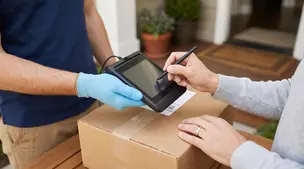
Learn when to require signature confirmation for Etsy orders to prevent package theft, protect high-value shipments, keep tracking valid, and boost buyer trust.

Streamline batch shipping on Etsy with a simple system that saves time, cuts postage costs, automates labels, and boosts order accuracy for happy repeat buyers.

Holiday shipping deadlines guide for Etsy sellers with USPS, UPS, FedEx cutoff dates, processing times, packaging tips, and planning strategies to avoid late deliveries.