
General
Etsy Featured Listings: How to Curate Your Shop Homepage
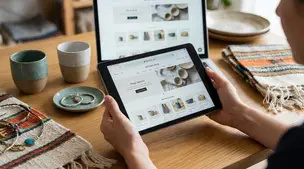
Etsy featured listings help spotlight bestsellers on your Shop Home; pick 4 (or sections), order them for cohesive photos, and rotate a queued set for seasons.

I’m trying to open a new Etsy shop in Germany and I’m getting stuck on the Billing Information step when I add a credit card. Etsy keeps showing the message that my bank couldn’t verify the card.
The card is active, and the name and address on the card match the details I entered on Etsy. I’m not using a VPN, but I’m not currently at the exact address on my account. What are the most common reasons Etsy can’t verify a card during shop setup in Germany, and what should I try next?
Hi! That error usually doesn’t mean your card is “inactive” — it means Etsy’s payment processor can’t get a clean match/approval from your card issuer during the verification check (often a small authorization + address/identity checks), which is pretty common during shop setup in Germany.
The most common reasons this happens (especially in Germany/EU):
About “not currently at the exact address”: that normally isn’t the problem. What matters is that the billing address you enter matches what your bank has on file for that card, not where you’re physically located.
What I’d try next (in this order):
If none of that works after you’ve tried a second card and confirmed with your bank that they’re not blocking it, then it’s time to contact Etsy Support from the help options inside your account. At that point, it’s usually an internal risk/verification mismatch they have to clear, and continuing to spam attempts can make it take longer.
If you tell me what type of card it is (credit vs debit vs prepaid, Visa/Mastercard, and whether it’s from a traditional bank vs a fintech), I can point you to the most likely fix without you guessing.
Related questions
I’m an Etsy seller dealing with a 1-star “item not received” review even though tracking shows delivered. How should I follow up and protect my shop?
I’m a new Etsy seller and unsure if I should keep spending $5/day on Etsy Ads or focus on improving my listings and Etsy SEO to grow sales.
I sell digital downloads on Etsy and a buyer paid $6 for a $5 item, but the tax line is $0. What else could cause this, and can buyers add extra at checkout?
I shipped an Etsy international order via USPS, but tracking has been stuck for weeks after acceptance. What can I do, and when should I refund or replace?
I’m a new Etsy seller and a buyer asked to change the shipping address before I ship. What’s the safest way to keep Etsy seller protection?
I run an Etsy shop and a buyer wants a refund for a custom order placed during my vacation; it’s still within the processing window. What should I do?
Related posts
Etsy featured listings help spotlight bestsellers on your Shop Home; pick 4 (or sections), order them for cohesive photos, and rotate a queued set for seasons.

Selling jewelry on Etsy: List exact metals, flag nickel sensitivity, and support hypoallergenic wording with supplier docs or testing to reduce buyer issues.

Etsy Materials and Occasion fields can boost visibility when chosen for buyer filters; match category, avoid guesswork, and align tags with real intent.

Happy Etsy SEO tips for sellers: master keywords, titles, tags, photos, reviews, free shipping, and conversions to rank higher in Etsy search and boost sales.
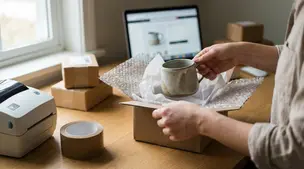
Discover when Etsy shipping insurance truly pays off, comparing seller protection, USPS coverage, Shipsurance rates, order value risks, and smart refund peace-of-mind.
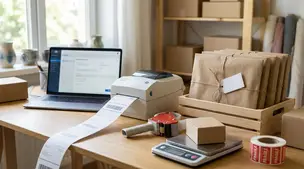
Streamline batch shipping on Etsy with a simple system that saves time, cuts postage costs, automates labels, and boosts order accuracy for happy repeat buyers.