

General
How Etsy Payments Work for Sellers
Discover how Etsy Payments pays sellers—payout schedules, payment methods, fees, taxes, deposits, and tips to keep your handmade shop cash flow happy.

I run an Etsy shop selling digital downloads, and I started getting orders about three months ago. My current Etsy Payments balance shows funds, but the amount is still not appearing as “available for deposit,” and I don’t see any notice about a reserve or a payout delay.
What are the most common reasons Etsy would hold a balance this long, and what steps should I check or take to get my payouts released?
Hi! If your Etsy Payments balance shows money but Available for deposit is still $0 (or doesn’t increase) after ~90 days, it usually means Etsy considers those funds not “eligible” to pay out yet—most often because of account verification/bank issues, a payout minimum/schedule issue, fees/refunds eating the available amount, or an internal hold/delay that isn’t labeled as a “reserve.”
Here are the most common reasons this happens (and what to check), especially for digital download shops:
What to do: In Finances → Payment account, review the activity/statement line-by-line and see whether fees are being taken out of each sale so that “available” never rises.
What to do: Check Finances → Payment settings and confirm:
What to do:
What to do:
What to do:
If you want the fastest path to a real answer
If you tell me your deposit schedule (daily/weekly/monthly), your shop’s first sale date (approx.), and whether your Payment account shows an Amount due or any recent fee spikes/refunds, I can help you narrow it down quickly.
Related questions
I’m a new Etsy seller and my “available for deposit” is much lower than my net order amount after two weeks—where can I see what Etsy is withholding and when it’s released?
I’m in Montenegro and can’t open a standard Etsy shop because Etsy Payments isn’t available. What are legit alternatives for selling and shipping worldwide?
I’m a new Etsy seller using Payoneer and I’m wondering how long my first payout takes, and what setup or verification can prevent delays.
I’m in Montenegro and can’t open an Etsy shop because Etsy Payments isn’t supported. What are the best alternatives to sell and ship worldwide safely?
I’m new to selling on Etsy and want to see which traffic source a specific order came from and the best way to track which marketing channel drives sales.
I run an Etsy shop and a buyer wants a refund for a custom order placed during my vacation; it’s still within the processing window. What should I do?
Related posts
Discover how Etsy Payments pays sellers—payout schedules, payment methods, fees, taxes, deposits, and tips to keep your handmade shop cash flow happy.

Google Ads for Etsy sellers can outperform Etsy Ads for niche, high-intent keywords and repeat buyers; weigh CPC, offsite fees, and tracking limits first.

Discover when Etsy shipping insurance truly pays off, comparing seller protection, USPS coverage, Shipsurance rates, order value risks, and smart refund peace-of-mind.

Discover exactly what you can sell on Etsy—from handmade crafts and digital downloads to vintage treasures and craft supplies—and start growing a joyful shop today.
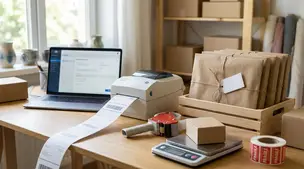
Streamline batch shipping on Etsy with a simple system that saves time, cuts postage costs, automates labels, and boosts order accuracy for happy repeat buyers.

Holiday shipping deadlines guide for Etsy sellers with USPS, UPS, FedEx cutoff dates, processing times, packaging tips, and planning strategies to avoid late deliveries.