

General
What to Do Before You Open an Etsy Shop
Get ready to open a successful Etsy shop with smart product ideas, branding, pricing, photos, SEO keywords, fees, policies, and launch marketing already planned.

I recently opened an Etsy shop selling digital Google Sheets templates designed specifically for Australian use (budget/debt tracker, first home buyer tracker, and a GST-ready invoice tracker). I’m getting some traffic from Pinterest, but it isn’t turning into many sales, so I’m worried my listings or shop setup aren’t convincing buyers.
What changes would you recommend to make my shop and listings more buyer-friendly and conversion-focused (listing photos, titles/tags, descriptions, pricing, and overall shop presentation), and what marketing channels typically work best to drive consistent traffic and stand out in a crowded digital template category on Etsy?
Hi! If you’re getting Pinterest clicks but not many Etsy sales, it usually means one of three things: (1) the listing visuals don’t instantly “click” (people can’t tell what they’re buying in 2 seconds), (2) the offer doesn’t feel low-risk (unclear setup, compatibility, outcomes), or (3) the Pinterest audience intent is “browse/save” vs “buy now.” The good news is digital templates convert really well once your listings reduce confusion and show the transformation clearly.
1) Listing photos: sell clarity, not aesthetics
For Google Sheets templates, your photos are your salesperson. Aim for “understand in 5 seconds.”
2) Titles & tags: match how buyers search (and keep it readable)
Your edge is “Australia” + a specific outcome (GST invoice, first home buyer, debt payoff). Build titles like:
Tag/SEO tips that help in crowded template categories:
3) Descriptions: reduce anxiety, answer objections, and preview results
Most buyers hesitate because they’re thinking: “Will this work for me? Will I know how to use it?”
Structure your description like this:
4) Pricing & offer: give people an easier “yes”
For new shops, the easiest conversion lever is offer design:
5) Shop presentation: make it feel like a real brand
Digital categories are full of low-trust shops, so your shop should scream “safe purchase.”
Pinterest users often save ideas and “plan later,” so your pins need to pre-qualify buyers and push them into high-intent behavior.
What works better than generic pretty pins:
Also, make sure the Pinterest promise matches the Etsy listing exactly (same wording and screenshots). Mismatch = bounce.
If you want steady traffic in this niche, the most reliable mix is:
If you tell me your shop name (or paste one listing title + the first 2 images worth of text/what they show), I can give you a very specific rewrite for: one title, 13 tags, the first 3 lines of your description, and an exact photo set plan for that listing.
Related questions
I’m reopening an old Etsy shop after 10 years and not getting traction. Is the inactivity or low sales history hurting visibility, or should I start a new shop?
I sell handmade art on Etsy and want to add digital cross stitch/needlepoint patterns. Should I list them in my existing shop or open a separate pattern shop?
I found an Etsy shop that may be reselling mass-produced items and using car brand imagery. How do I report listings for misrepresentation or IP infringement?
My Etsy shop “All Time” stats by month look shifted by one month. Is this a normal Etsy Stats delay/timezone issue, and how can I confirm the correct month?
I’m new to Etsy and using AI for vintage listings, but the descriptions feel too fluffy and may hide flaws. Should I keep Etsy descriptions short and factual for SEO and conversions?
I sell a custom service on Etsy and a buyer’s inbound UPS package was damaged and discarded. Should I cancel/refund, pause the order, or wait?
Related posts
Get ready to open a successful Etsy shop with smart product ideas, branding, pricing, photos, SEO keywords, fees, policies, and launch marketing already planned.

Learn how to set up Google Analytics 4 for your Etsy shop step by step to track traffic, buyer behavior, keywords, sales funnels, and marketing performance.

Production workflow for your Etsy shop with an SOP template: map order intake to making, QC, packing and shipping, with roles, tools, and ship-by timing.
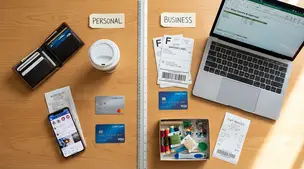
Separate personal and business finances by using a dedicated bank account and card, tracking Etsy fees and payouts, and keeping clean, tax-ready records.

Etsy business email organized with Gmail labels and filters that auto-sort orders, customer questions, and notifications, keeping urgent messages easy to spot.

Product spec sheets for Etsy items record SKUs, materials, measurements, photos, packaging, and QC checkpoints so reorders reliably match what customers expect.