

General
Etsy Featured Listings: How to Curate Your Shop Homepage
Etsy featured listings help spotlight bestsellers on your Shop Home; pick 4 (or sections), order them for cohesive photos, and rotate a queued set for seasons.

I’m trying to finish setting up a new Etsy shop and I’m stuck on the onboarding step for “How you’ll get paid.” Every time I click “Save and continue,” I get an error message saying it didn’t work and to try again.
What are the best troubleshooting steps to get past the Etsy payment setup screen, and when should I contact Etsy Support?
Hi! That “Hmm, looks like that didn’t work / Save and continue” error on the How you’ll get paid onboarding step is usually either (1) a browser/session glitch, (2) something in the payout details Etsy can’t validate, or (3) an Etsy-side onboarding issue. The fastest path is to rule out the technical stuff first, then double-check the exact payout fields you entered, and if it still won’t save after that, it’s time to contact Etsy Support.
Here are the best troubleshooting steps (in the order I’d do them):
1) Quick technical resets (fixes a lot of onboarding loops)
2) Check for Etsy-side issues
3) Re-check the payout details for common “silent blockers”
Even when Etsy shows a generic error, it can be rejecting something specific in your Etsy Payments info. Things to verify:
4) Try saving after one small change
If you keep clicking “Save and continue” with the same session/data, it can keep failing. Make one small edit (like removing an extra space in your address), save, then try continue again.
Reach out if any of these are true:
When you contact Support, tell them (don’t send sensitive details like full bank numbers): your shop username, the exact onboarding step (“How you’ll get paid”), the exact error text, your browser/device, and what you already tried (incognito, different browser, different network, extensions off). That helps them skip the scripted steps and escalate faster.
If you tell me what country you’re in and whether you’re doing this on mobile or desktop (and which browser), I can narrow it down to the most likely cause for your situation.
Related questions
I sell digital downloads on Etsy and a buyer paid $6 for a $5 item, but the tax line is $0. What else could cause this, and can buyers add extra at checkout?
I shipped an Etsy international order via USPS, but tracking has been stuck for weeks after acceptance. What can I do, and when should I refund or replace?
My Etsy order tracking shows delivered, but the buyer says it wasn’t received. What should I do next to handle a refund, replacement, or claim?
I’m a newer Etsy seller shipping by the ship-by date, but my order shows “may arrive late.” What triggers it, and should I change processing or shipping settings?
I’m shipping a small jewelry box on Etsy and the shipping label estimate is about $25. How do I find what’s causing it and block upgraded shipping?
I’m listing handmade earrings on Etsy in the mobile app, but choosing “dangle earrings” forces subcategories that don’t fit. Is it a limitation or glitch, and what workaround works best?
Related posts
Etsy featured listings help spotlight bestsellers on your Shop Home; pick 4 (or sections), order them for cohesive photos, and rotate a queued set for seasons.

Selling jewelry on Etsy: List exact metals, flag nickel sensitivity, and support hypoallergenic wording with supplier docs or testing to reduce buyer issues.

Etsy Materials and Occasion fields can boost visibility when chosen for buyer filters; match category, avoid guesswork, and align tags with real intent.

Happy Etsy SEO tips for sellers: master keywords, titles, tags, photos, reviews, free shipping, and conversions to rank higher in Etsy search and boost sales.
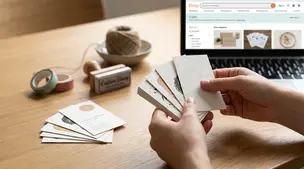
Business cards for Etsy sellers: smart basics like shop link or QR code, logo, and socials, with cardstock tips and pitfalls like clutter and pushy review asks.

Product spec sheets for Etsy items record SKUs, materials, measurements, photos, packaging, and QC checkpoints so reorders reliably match what customers expect.