

General
How to Recover a Dead Etsy Listing
Revive dead Etsy listings with smart SEO, renewal timing, fresh photos and keywords that boost traffic, restore visibility and get your shop selling again.

I’m trying to log into my Etsy account, but after resetting my password it’s requiring two-factor authentication to a phone number I no longer have access to. It also asks for backup/recovery codes, but I don’t have those saved.
I’m stuck in a loop where I’m directed to contact support, but I can’t find a way to reach account recovery for help with updating my 2FA details. What’s the correct way to recover my Etsy account and remove or change the old two-factor phone number?
Hi! If you don’t have the old phone number and you don’t have your Etsy 2FA backup/recovery codes, the only “legit” way back in is through Etsy’s account access support flow—there isn’t a self-serve way to remove or change 2-step verification without either (1) the code sent to that phone/authenticator or (2) a backup code.
Here’s what to do (this is the path that actually routes you to the right place):
A couple important notes:
If you tell me whether you still have access to the email on the account and whether you’re logged in on any device at all, I can point you to the quickest branch of the steps above.
Related questions
I’m an Etsy seller locked out because 2FA sends codes to an old phone number and I have no backup codes. How can I contact Etsy to verify my identity?
I created my first Etsy shop but can’t access Shop Manager—desktop shows a page not found error and the app says no shop is connected. What should I check?
In my Etsy shop, a shopper favorited hundreds of listings quickly and then their profile disappeared. What could cause this on Etsy, and what should I do?
I’m an Etsy seller locked out after a password reset because I can’t access my old 2FA phone number or backup codes. What’s the best recovery option?
I have an Etsy order marked delivered by tracking, but the buyer says it never arrived. What steps should I take with the buyer, carrier, and Etsy?
I sell made-to-order 3D resin models on Etsy and may miss the dispatch date. What happens if I ship late, and how should I handle extensions?
Related posts
Revive dead Etsy listings with smart SEO, renewal timing, fresh photos and keywords that boost traffic, restore visibility and get your shop selling again.
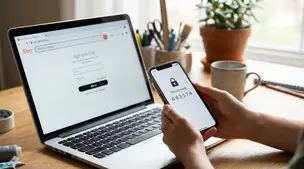
Etsy two-factor authentication setup: steps for web and Seller app, choosing SMS, phone, or authenticator app, plus backup codes and common sign-in fixes.

Learn how to set realistic Etsy processing times, avoid late orders, boost on-time shipping, protect your shop, and keep buyers happy with clear expectations.

Boost Etsy repeat customers with unforgettable unboxing, personalized messages, loyalty discounts, fast shipping, and email marketing that keeps your shop top-of-mind.

Product spec sheets for Etsy items record SKUs, materials, measurements, photos, packaging, and QC checkpoints so reorders reliably match what customers expect.

Notion for Etsy sellers: organize tasks, listing tweaks and notes in one place, with database views for today and this week plus an ideas inbox, at a glance.