

General
How to Recover a Dead Etsy Listing
Revive dead Etsy listings with smart SEO, renewal timing, fresh photos and keywords that boost traffic, restore visibility and get your shop selling again.

I’m an Etsy seller and I’m locked out of my account after resetting my password. When I try to sign in, it requires two-factor authentication sent to a phone number I no longer have, and it also asks for backup codes that I don’t have saved.
I tried contacting support, but I’m getting routed in circles between email and the help pages. What’s the best way to recover my Etsy account when I can’t access the old 2FA number or backup codes?
Hi! If you don’t have the old 2FA phone number and you don’t have backup codes, the only reliable way back in is either (1) getting that old number reactivated by your mobile carrier, or (2) having Etsy Support verify you and reset/disable the two‑factor step so you can sign in and set up new 2FA.
Here’s the quickest, least “run in circles” path that usually works:
1) First, try to get the old number back (fastest if possible)
2) If the old number is gone, use Etsy’s “I still need help” sign-in flow (this is the key)
3) While you’re waiting, check for any “already signed in” device
If you’re still logged in anywhere (Etsy Seller app, old laptop browser, tablet):
4) Be ready for identity verification (so the ticket doesn’t stall)
Etsy typically asks questions to confirm it’s really you. Without sharing anything here, be ready to provide details like:
Important don’ts (to avoid making it worse)
If you tell me what you can still access (your email inbox? Etsy Seller app logged in anywhere? the old phone number recoverable at all?), I can point you to the most likely fastest route for your exact situation.
Related questions
I created my first Etsy shop but can’t access Shop Manager—desktop shows a page not found error and the app says no shop is connected. What should I check?
In my Etsy shop, a shopper favorited hundreds of listings quickly and then their profile disappeared. What could cause this on Etsy, and what should I do?
I’m reopening an old Etsy shop after 10 years and not getting traction. Is the inactivity or low sales history hurting visibility, or should I start a new shop?
I’m trying to protect email marketing deliverability after high bounces—should I verify and clean my subscriber list regularly, and how often?
I sell art prints on Etsy and want to list a dark design that could be seen as self-harm or mental health related. How do I avoid removals or flags?
I sell physical items on Etsy and sent a replacement for a stuck shipment, but the original later shows delivered too. Should I ask the buyer to return or pay?
Related posts
Revive dead Etsy listings with smart SEO, renewal timing, fresh photos and keywords that boost traffic, restore visibility and get your shop selling again.
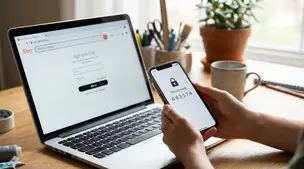
Etsy two-factor authentication setup: steps for web and Seller app, choosing SMS, phone, or authenticator app, plus backup codes and common sign-in fixes.

Discover how more Etsy reviews boost buyer trust, improve your shop’s SEO, increase conversion rates, and drive consistent sales growth for your listings.
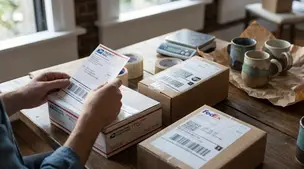
Compare USPS, UPS, and FedEx for Etsy shipping to find the cheapest, fastest, and most reliable carrier for your package size, delivery speed, and destination.

Product spec sheets for Etsy items record SKUs, materials, measurements, photos, packaging, and QC checkpoints so reorders reliably match what customers expect.

Notion for Etsy sellers: organize tasks, listing tweaks and notes in one place, with database views for today and this week plus an ideas inbox, at a glance.