
General
Etsy Account Security: How to Enable Two-Factor Authentication
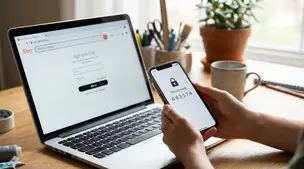
Etsy two-factor authentication setup: steps for web and Seller app, choosing SMS, phone, or authenticator app, plus backup codes and common sign-in fixes.

I’m an Etsy seller and I can’t log into my account after resetting my password because the login is still requiring two-factor authentication. The verification is being sent to a phone number I no longer have access to, and I also don’t have any backup/recovery codes saved.
I’ve tried contacting support, but I keep getting routed in circles between help pages and email prompts without a clear way to verify my identity. What’s the best way to update or remove 2FA and regain access to my Etsy seller account when I no longer have the old phone number or backup codes?
Hi! If you don’t have the old phone number and you don’t have your Etsy backup/recovery codes, there isn’t a self-serve way to remove or update 2FA from the login screen—at that point, only Etsy Support can reset 2-step verification for you. The fastest path is to submit the “can’t sign in / 2FA” support request (it’s separate from the general help articles), and in parallel try to recover the old number through your carrier if that’s at all possible.
Here’s what to do (in the order that usually works best):
A few important “don’ts” (these prevent delays/flags)
If you tell me what you’re seeing on the screen (for example: SMS only vs call option, any “I still need help” link, or any error message), I can point you to the exact sequence of clicks/choices that usually reveals the correct support form for 2FA lockouts.
Related questions
I’m an Etsy seller locked out because 2FA sends codes to an old phone number and I have no backup codes. How can I contact Etsy to verify my identity?
I’m an Etsy seller locked out because 2FA sends codes to an old phone number. How can I contact Etsy to verify my identity and reset 2FA?
In my Etsy shop, a shopper favorited hundreds of listings quickly and then their profile disappeared. What could cause this on Etsy, and what should I do?
I’m an Etsy seller locked out after a password reset because I can’t access my old 2FA phone number or backup codes. What’s the best recovery option?
I’m a new Etsy seller trying to understand Star Seller messaging: do I need to reply again if a buyer just confirms my update, or only to initial questions?
I sell genuine vintage, licensed items on Etsy, but my listings were removed for IP infringement. How can I dispute or prevent takedowns?
Related posts
Etsy two-factor authentication setup: steps for web and Seller app, choosing SMS, phone, or authenticator app, plus backup codes and common sign-in fixes.

Revive dead Etsy listings with smart SEO, renewal timing, fresh photos and keywords that boost traffic, restore visibility and get your shop selling again.

Learn how to set realistic Etsy processing times, avoid late orders, boost on-time shipping, protect your shop, and keep buyers happy with clear expectations.

Trademark and copyright on Etsy: check names, tags, logos, and artwork, confirm licenses, and understand takedown notices before listing your products safely.

Product spec sheets for Etsy items record SKUs, materials, measurements, photos, packaging, and QC checkpoints so reorders reliably match what customers expect.

Notion for Etsy sellers: organize tasks, listing tweaks and notes in one place, with database views for today and this week plus an ideas inbox, at a glance.