

General
How to Use FAQ Images in Etsy Listings to Reduce Questions
Etsy FAQ images that answer shipping, sizing, and customization upfront, with readable mobile-friendly design, order, and wording tips to cut repeat messages.

I’m opening an Etsy shop with digital products I design myself, and I’ll only be able to add about 1–2 new listings per month at first. To speed up learning what converts, I want to run structured A/B tests using Etsy Ads—mostly testing different listing photos and videos, and possibly pricing and keywords/tags.
To do this properly, I’m considering duplicating a listing so each version only changes one variable. But I’m not sure if duplicate listings are allowed on Etsy, or if they could be seen as trying to game search visibility or ads placement (especially since I’d essentially be advertising against myself).
What’s the safest way to A/B test on Etsy without risking reduced search visibility or policy issues, and how do other sellers typically test photos, prices, and keywords when there aren’t many keyword variations available?
Hi! Duplicating an Etsy listing inside the same shop isn’t automatically “against the rules” (Etsy literally gives you a copy/duplicate listing feature), but creating two near-identical listings just to A/B test can look spammy, can split your favorites/sales history (which feeds listing quality), and often just makes you compete with yourself in Etsy search and Etsy Ads—so it’s usually not the safest or fastest way to learn.
The safest way to A/B test on Etsy (without policy risk) is to test inside one listing over time:
If you really want two listings live at once, the “safe” line is: make them meaningfully different offers, not clones. For digital products that could mean:
How most sellers test when they don’t have many keyword variations:
If you tell me what type of digital products you’re selling (e.g., SVGs, planners, templates, clipart, Lightroom presets, etc.) and whether you’re using mockups or real screenshots, I can suggest 3–5 very specific thumbnail/photo test ideas and a simple testing schedule that works even with only 1–2 new listings per month.
Related questions
I run an Etsy shop and need to pause or hide a few listings while waiting on supplies. Can I do that without putting my whole shop on vacation mode?
I’m running Etsy Ads and want to change my campaign goal/objective, but I only see strategy and budget. Where is the goal setting, and who has it?
I’m trying to understand where my Etsy shop traffic comes from and whether I should use Etsy Ads or social media to grow beyond Etsy search.
I sell themed items on Etsy and reuse the same design across products. How often should I add new listings, and list variations separately or as options?
I’m a newer Etsy seller and need to ship two separate Etsy orders together. Can I buy one shipping label and mark both orders shipped with tracking?
I’m a newer Etsy seller and I’m wondering if it’s okay to sell both hand-drawn art and digital downloads in one Etsy shop, or switch to prints/originals.
Related posts
Etsy FAQ images that answer shipping, sizing, and customization upfront, with readable mobile-friendly design, order, and wording tips to cut repeat messages.

Discover exactly how many photos your Etsy listing really needs, with winning examples and photo ideas to boost clicks, buyer trust, and sales.

Turn your Etsy views into steady sales with better keywords, pricing, photos, and conversion-focused listing tweaks that build trust and boost shop revenue.

Etsy listing descriptions that signal expertise: add certifications, process details, and honest experience notes while avoiding risky medical or legal claims.
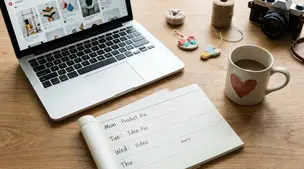
Pinterest for Etsy sellers: a simple weekly pin schedule with fresh content, keyworded boards, seasonal timing, and tracking to grow clicks without burnout.

Etsy personalization fields: set clear required inputs, dropdown choices, and character limits to cut order errors and help shoppers buy faster at checkout.