

General
How to Answer Etsy Messages Faster With Saved Replies (Templates)
Etsy saved replies help you answer buyers in seconds: create snippets for shipping, customs, and order updates, add placeholders, and stay Star Seller-ready.

I’ve started receiving a few buyer messages that seem unrelated to the listing they contacted me about (for example, asking about color options on an item that doesn’t have color choices).
When I try to reply, Etsy won’t let me send the message, and then the conversation disappears from my inbox. What could be causing this, and how should I handle these messages if they keep happening?
Hi! What you’re describing is usually Etsy’s spam/scam filtering at work: those “weird” buyer messages often come from spam accounts (or phishing attempts), and Etsy may automatically block the thread or move it out of your main inbox—so when you try to reply, the send fails and the conversation “disappears” because it’s been filtered/removed or refiled.
A few common reasons this happens:
How to handle them (safe + simple):
If you want, paste a sanitized example of one of the messages (remove names, emails, links, order numbers) and tell me whether you’re using the Etsy Seller app or desktop—I'll help you spot the red flags and the best next step for your specific case.
Related questions
I run an Etsy shop and reply to messages late at night. Can I schedule Etsy messages to send later, or use saved replies/auto-responses instead?
I sell stickers on Etsy via untracked letter mail, and recent orders seem quiet. Should I message buyers to confirm delivery, or is that intrusive?
I reply to every Etsy customer message within 24 hours, but my shop shows a “--%” message response rate. Why isn’t it tracking, and how can I fix it?
I run an Etsy shop and need to pause or hide a few listings while waiting on supplies. Can I do that without putting my whole shop on vacation mode?
I’m listing a 3-pack of small, lightweight accessories on Etsy and wondering if it’s better to charge shipping separately or build it in and offer free shipping.
My Etsy listings changed from manual renewal to auto-renew. What could cause this, and how do I switch them back and prevent it?
Related posts
Etsy saved replies help you answer buyers in seconds: create snippets for shipping, customs, and order updates, add placeholders, and stay Star Seller-ready.

Boost Etsy sales with joyful psychological pricing tips—charm prices, anchoring, bundles, urgency and value cues tailored to handmade, digital and craft shops.

Discover how more Etsy reviews boost buyer trust, improve your shop’s SEO, increase conversion rates, and drive consistent sales growth for your listings.
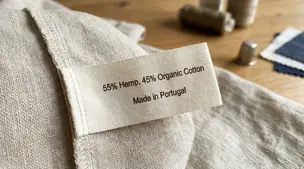
Textile labeling basics for sellers: fiber percentages, approved generic names, RN/identity, and country of origin placement to meet FTC rules without guesswork.

Product spec sheets for Etsy items record SKUs, materials, measurements, photos, packaging, and QC checkpoints so reorders reliably match what customers expect.

Notion for Etsy sellers: organize tasks, listing tweaks and notes in one place, with database views for today and this week plus an ideas inbox, at a glance.