
General
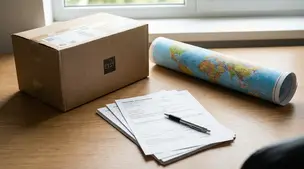
International Shipping on Etsy: Customs Forms Explained
Ship Etsy orders worldwide with confidence using clear customs forms, accurate HS codes, duties, taxes, and tariff info to avoid delays and surprise fees.

I run an Etsy shop and I keep getting emails saying my Etsy Ads are now active, even though I didn’t turn ads on myself. When I log in, I can see ads are enabled and I turn them back off, but it’s happened more than once recently.
Is there a known reason Etsy Ads might switch on by itself (settings changes, app issues, account access, or an update), and what steps should I take to make sure ads stay off and my account is secure?
Hi! Etsy Ads generally shouldn’t “turn itself on” without some action on the account, so when it keeps reactivating, it’s usually one of these: (1) someone/something with access is re-enabling it (another user on the account, a compromised login, or a connected third‑party app/integration), (2) you’re turning off advertised listings but not actually pausing the Etsy Ads campaign, or (3) you’re mixing up Etsy Ads with Offsite Ads (Offsite Ads enrollment is separate, and for some shops it can’t be fully opted out).
Here’s how to make sure Etsy Ads stays OFF (and rule out the common gotchas):
If you suspect account access or a connected tool is flipping it back on, do this next (in this order):
One more important note: treat the “your ads are now active” emails cautiously. If you clicked anything in those emails, stop doing that—log in by typing Etsy into your browser/app directly instead. If, after you’ve secured the account and revoked apps, Etsy Ads still re-enables, it’s time to contact Etsy Support and tell them the approximate dates it reactivated and that you’ve already changed your password, enabled 2FA, and revoked connected apps.
Related questions
I’m running Etsy Ads and one listing has lots of clicks but low ROAS and few sales. Should I turn ads off or keep them for potential shop-wide benefits?
I run a small Etsy shop and I’m considering Etsy Ads, but I’m unclear how targeting and daily budget work and how to track ad-driven sales.
I opened an Etsy handmade jewelry shop and get views but few sales. What should I prioritize (photos, Etsy SEO, pricing, policies) without Etsy Ads?
I’m running Etsy Ads on a listing with lots of clicks but very few sales and low ROAS. Should I pause ads until I improve conversion rate?
I sell physical items on Etsy and want to offer local pickup, but I’m worried about no tracking and how to document delivery and protect my metrics.
I’m a new Etsy seller and Etsy won’t let me buy a shipping label for one order, showing “No delivery services are available for this package.”
Related posts
Ship Etsy orders worldwide with confidence using clear customs forms, accurate HS codes, duties, taxes, and tariff info to avoid delays and surprise fees.
Learn how Etsy sellers can calculate customs fees, charge VAT at checkout, avoid double taxation, set DDP vs DAP shipping, and keep international buyers happy.
Learn when to require signature confirmation for Etsy orders to prevent package theft, protect high-value shipments, keep tracking valid, and boost buyer trust.

Discover rules, limits and branding tips for changing your Etsy shop name so you protect SEO, keep customers, refresh your brand and choose a memorable new URL.

Streamline batch shipping on Etsy with a simple system that saves time, cuts postage costs, automates labels, and boosts order accuracy for happy repeat buyers.

Holiday shipping deadlines guide for Etsy sellers with USPS, UPS, FedEx cutoff dates, processing times, packaging tips, and planning strategies to avoid late deliveries.