
General
How to Protect Your Etsy Shop From Scams and Phishing
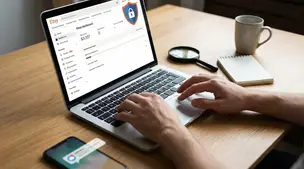
Etsy phishing scams: spot fake support messages, QR-code traps, and off-platform payment requests, then lock down your account with 2FA and spam reporting.

I’m a new Etsy seller, and I noticed my shop’s revenue total dropped significantly overnight, even though I haven’t had any refunds, cancellations, or chargebacks. The only thing I can think of is that I have a few orders marked as overdue, and the timing seems to line up.
Does Etsy adjust the revenue or stats display when orders are overdue or unshipped, and will the total return to normal once I ship them? If not, where should I look to confirm what caused the change?
Hi! Overdue/unshipped orders shouldn’t make Etsy reduce your Revenue number in Stats—shipping late can hurt your on-time shipping metrics (and customer experience), but it doesn’t normally “pull back” sales you already made. When sellers see Revenue drop overnight with no refunds, it’s almost always because the Stats date range rolled over (for example “last 7 days / last 30 days”), so a big-sales day fell out of the window, or because they were looking at a different timeframe/timezone than before.
A few places to check so you can confirm what actually changed:
1) Confirm the Stats range first (most common)
2) Compare “Stats Revenue” vs what hit your Payment account
Etsy “Revenue” in Stats is a marketing/stat number and can differ from what you see in deposits. It typically doesn’t include taxes and shipping, and it can also be affected by discounts. So it can move differently than your “money received.”
To confirm whether anything was actually removed:
3) Look for “not a refund” events that still change totals
Even if you didn’t manually refund/cancel, check for:
Will it return to normal once you ship?
Usually no—shipping overdue orders won’t “restore” Revenue in Stats. Shipping updates fulfill the order and help your service metrics, but Stats Revenue is tied to the sale/date range, not whether you shipped on time.
If you tell me exactly where you’re seeing the drop (Shop Manager Stats Revenue, Dashboard, or Payment account current balance) and what date range it’s set to (Today/Last 7/30/This month), I can help you pinpoint the most likely cause fast.
Related questions
I sell handmade art on Etsy and want to add digital cross stitch/needlepoint patterns. Should I list them in my existing shop or open a separate pattern shop?
I found an Etsy shop that may be reselling mass-produced items and using car brand imagery. How do I report listings for misrepresentation or IP infringement?
My Etsy shop “All Time” stats by month look shifted by one month. Is this a normal Etsy Stats delay/timezone issue, and how can I confirm the correct month?
I run two Etsy shops selling digital poster downloads and want to add needlepoint charts and possibly physical canvases. Should I open a new Etsy shop or add them?
I’m a Canada-based Etsy seller using Chit Chats labels and need help setting fixed Etsy shipping prices for Canada, the U.S., and international orders.
I sell original designs on Etsy and think they’re being copied on Temu. How do I report it, protect my designs, and adjust my Etsy listings/policies?
Related posts
Etsy phishing scams: spot fake support messages, QR-code traps, and off-platform payment requests, then lock down your account with 2FA and spam reporting.

Learn how to set up Google Analytics 4 for your Etsy shop step by step to track traffic, buyer behavior, keywords, sales funnels, and marketing performance.
Etsy press kit checklist: brand story, high-res product photos, logos, pricing, shop links, and contacts so journalists and bloggers feature your work fast.
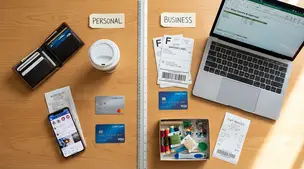
Separate personal and business finances by using a dedicated bank account and card, tracking Etsy fees and payouts, and keeping clean, tax-ready records.
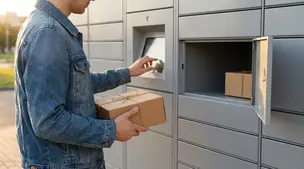
Discover how to ship Etsy orders via parcel lockers and drop-off points using USPS, UPS Access Points, Evri, InPost and more for secure, flexible delivery.

Product spec sheets for Etsy items record SKUs, materials, measurements, photos, packaging, and QC checkpoints so reorders reliably match what customers expect.