

General
How Much Money Can You Make Selling on Etsy?
Discover realistic Etsy income ranges, profit margins, fees, and proven tips to boost sales so you can grow your handmade or digital product shop confidently.

I run a small Etsy shop and started a limited-time percentage-off sale on a few listings. I set the dates, and the discounted price is showing on my storefront, but I can’t find the sale inside Shop Manager on the Etsy Seller app or in a mobile browser.
I’m trying to add more listings to the existing sale and update the related shop announcement, but the sale isn’t visible anywhere to edit—only an option to create a new sale. Do I need to use a desktop computer to manage an active Etsy sale, or is there a way to locate and edit the current sale from mobile?
Hi! You don’t usually need a desktop computer to manage a sale, but in practice a lot of sellers run into this exact issue: active Sales & Discounts sometimes don’t show up (or aren’t editable) in the Etsy Seller app or on the mobile Shop Manager view. The most reliable fix is to open Shop Manager in a mobile browser and switch the browser to “Desktop site” view—then your active sale should appear under Marketing → Sales and discounts, where you can edit it and add more eligible listings.
Here’s what I’d do from mobile (quickest path):
If you’re only seeing “Create a new sale” and nothing active, check these common gotchas:
For your shop announcement, you can edit that on mobile in the Etsy Seller app: open the menu and go into Shop Settings (wording/placement can vary a bit by device), then Announcement and save your changes.
If you tell me whether you’re on iPhone or Android (and whether you’re using the Etsy Seller app vs a browser), I can point you to the exact taps/menus that match your screen.
Related questions
I opened an Etsy shop selling watercolor originals/prints but have no sales yet. How do I know if it’s my art or Etsy SEO/listings, and what should I do first?
I sell Etsy PDF digital downloads and buyers get redirected to the app on mobile, which says to use a browser. How can they download without uninstalling?
I created my first Etsy shop but can’t access Shop Manager—desktop shows a page not found error and the app says no shop is connected. What should I check?
I’m trying to use responsive email design so my email marketing looks consistent on mobile and desktop, avoiding broken layouts, image scaling, and unreadable text.
I’m trying to match Etsy’s 2026 Color of the Year in my photos, but the announcements look teal vs. blue—does Etsy publish an official color code?
I sell handmade art on Etsy and want combined shipping when customers buy multiple items, plus a way to handle shipping to multiple addresses as gifts.
Related posts
Discover realistic Etsy income ranges, profit margins, fees, and proven tips to boost sales so you can grow your handmade or digital product shop confidently.

Streamline batch shipping on Etsy with a simple system that saves time, cuts postage costs, automates labels, and boosts order accuracy for happy repeat buyers.
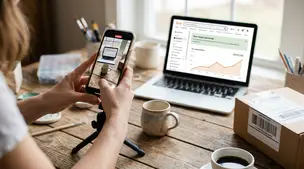
Discover how to create high-converting Etsy listing videos that boost clicks, build buyer trust, showcase product details, and quickly increase your sales.

Boost Etsy repeat customers with unforgettable unboxing, personalized messages, loyalty discounts, fast shipping, and email marketing that keeps your shop top-of-mind.

Holiday shipping deadlines guide for Etsy sellers with USPS, UPS, FedEx cutoff dates, processing times, packaging tips, and planning strategies to avoid late deliveries.

Use real-time data, buffers, and clear shipping windows to estimate delivery times accurately, protect margins, and delight customers without overpromising.