

General
Etsy Featured Listings: How to Curate Your Shop Homepage
Etsy featured listings help spotlight bestsellers on your Shop Home; pick 4 (or sections), order them for cohesive photos, and rotate a queued set for seasons.

I’m listing a pair of handmade dangle earrings using the Etsy app, but when I choose “dangle earrings,” it forces me into specific subcategories that don’t fit my design. I don’t see an option to leave it as just “dangle earrings.”
Is this a limitation of the Etsy app or the category system, and what’s the best workaround to list them accurately (for example, switching to desktop, choosing the closest category, or relying on attributes/tags)?
Hi! That’s mostly how Etsy’s category system works (not just the app): Etsy wants you in the most specific category path, so “Dangle earrings” usually isn’t meant to be a “final” category you can stop at—it’s more like a parent category that Etsy expects you to refine further. On mobile, it can feel extra restrictive because the category picker is simplified and sometimes funnels you into subcategories that don’t feel right.
If none of the forced subcategories are a perfect match, the best workaround is to pick the closest category anyway (don’t overthink it), then use attributes + your title/tags to describe the real style so Etsy search still understands what you’re selling.
A few practical options that usually work well:
One quick rule of thumb: if Etsy is forcing you into something like “tassel,” “chandelier,” etc. and it’s not true, don’t pick a wrong style just to satisfy the path—pick the nearest “generic” option in that branch, then let your attributes, photos, and tags do the heavy lifting for accuracy. If you tell me what your design is (shape/style/material/closure), I can suggest which subcategory tends to be the least misleading.
Related questions
I sell digital downloads on Etsy and a buyer paid $6 for a $5 item, but the tax line is $0. What else could cause this, and can buyers add extra at checkout?
I shipped an Etsy international order via USPS, but tracking has been stuck for weeks after acceptance. What can I do, and when should I refund or replace?
I’m setting up a new Etsy shop and onboarding is stuck on the “How you’ll get paid” step with a Save and continue error. How can I fix it, and when should I contact Etsy Support?
My Etsy order tracking shows delivered, but the buyer says it wasn’t received. What should I do next to handle a refund, replacement, or claim?
I run an Etsy shop in the EU and ship to the US. Do I need to physically sign and date the customs form, or is electronic submission enough?
I’m an Etsy seller locked out because 2FA is tied to an old phone number and I don’t have backup codes. How do I contact Etsy to verify my identity?
Related posts
Etsy featured listings help spotlight bestsellers on your Shop Home; pick 4 (or sections), order them for cohesive photos, and rotate a queued set for seasons.
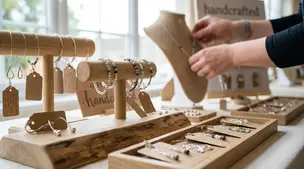
Selling jewelry on Etsy: List exact metals, flag nickel sensitivity, and support hypoallergenic wording with supplier docs or testing to reduce buyer issues.

Etsy Materials and Occasion fields can boost visibility when chosen for buyer filters; match category, avoid guesswork, and align tags with real intent.

Happy Etsy SEO tips for sellers: master keywords, titles, tags, photos, reviews, free shipping, and conversions to rank higher in Etsy search and boost sales.
Discover realistic Etsy income ranges, profit margins, fees, and proven tips to boost sales so you can grow your handmade or digital product shop confidently.

Product spec sheets for Etsy items record SKUs, materials, measurements, photos, packaging, and QC checkpoints so reorders reliably match what customers expect.