

General
Etsy Featured Listings: How to Curate Your Shop Homepage
Etsy featured listings help spotlight bestsellers on your Shop Home; pick 4 (or sections), order them for cohesive photos, and rotate a queued set for seasons.

I’m an individual seller in Singapore, and I’m trying to complete Etsy’s taxpayer/identity verification so my payments don’t get put on hold. The only tax ID I have as an individual is my Singapore FIN, which appears to be listed as an accepted ID type for individuals.
No matter how I format or enter it, Etsy’s system rejects it. I’ve tried different browsers/devices and re-entered it exactly as shown on my government ID. I also tried adding it in an “additional taxpayer ID” field, and I’ve been told the FIN itself should be valid, but the verification still won’t go through.
If Etsy keeps rejecting a valid personal tax ID like a Singapore FIN, what’s the best way to get it approved (manual review, submitting documents, or escalating support), and is there anything specific I should check to avoid an automatic rejection?
Hi! This usually isn’t that your FIN is “invalid” in Singapore—it’s that Etsy’s automated verification is very picky about exact matches (and sometimes the FIN check is tied to other fields like your legal name/address, not just the number). The fastest path is: make sure every detail on your Legal and tax information + identity verification matches your government ID exactly, try the FIN in the correct field with the correct ID type, and if it still fails, stop re-trying and push for a manual review through Etsy Support with screenshots.
Here are the most common reasons a Singapore FIN gets auto-rejected, and what to check:
1) Name mismatch (most common)
2) Address/characters formatting issues
3) Wrong field or wrong “type” selection
4) FIN entry formatting
Try the FIN in the simplest machine-readable format:
5) You’re hitting a failed-attempt limit
Etsy’s identity/tax verification can block further attempts after multiple failures. If you’ve tried a lot of variations already, it’s worth pausing and moving to support rather than continuing to retry (retries can make it harder, not easier).
If you want, paste the exact way your legal name appears on your ID (just the name text, no ID numbers) and tell me whether you’re entering the FIN as the primary taxpayer ID or in “additional,” and I’ll tell you the most likely mismatch causing the automatic rejection.
Related questions
I sell digital downloads on Etsy and a buyer paid $6 for a $5 item, but the tax line is $0. What else could cause this, and can buyers add extra at checkout?
I shipped an Etsy international order via USPS, but tracking has been stuck for weeks after acceptance. What can I do, and when should I refund or replace?
My Etsy order tracking shows delivered, but the buyer says it wasn’t received. What should I do next to handle a refund, replacement, or claim?
I run an Etsy shop in the EU and ship to the US. Do I need to physically sign and date the customs form, or is electronic submission enough?
I run an Etsy shop and the Help Center sends me back to sign-in when I click “Contact Support,” so I can’t chat or submit a request. How can I fix it?
I sell a custom service on Etsy and a customer’s inbound UPS package was damaged and discarded. Should I cancel the Etsy order or handle it another way?
Related posts
Etsy featured listings help spotlight bestsellers on your Shop Home; pick 4 (or sections), order them for cohesive photos, and rotate a queued set for seasons.

Selling jewelry on Etsy: List exact metals, flag nickel sensitivity, and support hypoallergenic wording with supplier docs or testing to reduce buyer issues.

Etsy Materials and Occasion fields can boost visibility when chosen for buyer filters; match category, avoid guesswork, and align tags with real intent.

Happy Etsy SEO tips for sellers: master keywords, titles, tags, photos, reviews, free shipping, and conversions to rank higher in Etsy search and boost sales.

Etsy FAQ images that answer shipping, sizing, and customization upfront, with readable mobile-friendly design, order, and wording tips to cut repeat messages.
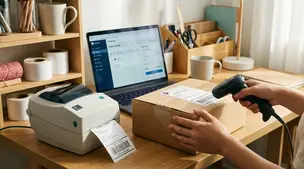
Barcodes and labels streamline picking, packing, and shipping for Etsy orders with simple SKU setup, scanner tips, label printers, and error-proof workflows.